Hiring a new employee does not end when the candidate accepts your offer. After that yes, HR still needs a signed contract and proof that the person is allowed to work for you. Other items can only come from the candidate, such as a professional license or contact details for their references.
In many HR teams, this part still runs on paper and email. Candidates bring copies of their ID to the office, and someone types their form answers into a spreadsheet. Meanwhile, the contract waits in an inbox for a signature.
The weeks between the offer and day one decide whether the new hire starts on the planned date. One missing document can push it back, and some candidates lose patience and accept another offer before their first day.
Candidate onboarding covers everything that needs to happen between accepting a job offer and the employee’s first day. It involves HR, the hiring manager, IT and the new hire.
The process includes signing contracts, checking identity and work eligibility, collecting personal and payroll information, and preparing equipment and accounts. Some positions also require reference checks or professional licenses.
Candidate onboarding is also called preboarding or pre-onboarding. In the UK, certain steps are known as pre-employment checks.
HR manages the process and reviews documents, while the hiring manager prepares for the first week. IT sets up equipment and system access, and the new hire completes the required forms and submits documents.
Preboarding stops on the new hire’s first day, which is where onboarding starts. Before that day, the work is mostly forms, signatures and checks, so HR leads it.
From day one, the employee onboarding process turns to the job itself, and the manager usually leads it. It covers training, introductions and first goals, and it can last weeks or months. Preboarding, by contrast, lasts only as long as the gap between the accepted offer and the start date.
The two stages depend on each other. If the contract or a document is still missing on day one, the first days are spent on paperwork.
The pre-onboarding process usually follows this order, because each step needs something from the one before. For example, IT cannot prepare accounts until the contract confirms the start date.
Once the candidate says yes, HR sends the offer letter and the employment contract to sign. The letter confirms the agreed role, pay and start date, plus anything the offer depends on, such as references.
The hiring manager should check both first, since a wrong salary or date means sending a new version. Most later steps depend on the contract’s role and start date, so it helps to get it signed early.
In the UK, GOV.UK says you must check a job applicant’s right to work before you employ them. For example, you can check online if the candidate gives you a share code. You can also check their original documents with them present.
In the US, employers must complete Form I-9 for every new hire, to verify identity and authorization to work. Section 1 is the employee’s part, due by the first day of work and never before the offer is accepted.
The employer must check the employee’s documents and complete Section 2 of Form I-9 within three business days of their first day. For jobs lasting less than three business days, this must be done by the first day.
Employees can choose which acceptable documents to provide, and employers cannot require specific ones. In the UK, employers also cannot insist on only one way to prove the right to work.
Some roles need proof of a qualification, such as a nursing license or a first aid certificate. Ask each candidate only for what their role requires. Then note any expiry date, so you know when to ask for a new copy.
References usually take the longest, because they depend on people outside your company. Ask for each reference’s contact details early, so HR or the hiring manager has time to reach them.
Before payroll can start, HR needs the new hire’s personal details, bank information, emergency contact and tax forms.
In the US, employers ask each new employee to complete Form W-4, which shows how much federal income tax to deduct from their salary.
In the UK, employers use the employee’s P45 to determine their tax code. If the employee doesn’t have a P45, they complete an HM Revenue and Customs (HMRC) starter checklist instead.
With paper forms, HR often has to enter the same information into several systems. Online forms make this easier because new hires enter their details once, and HR can review them before sending them to payroll.
Once the contract is signed, give IT the start date and the role. They can then order a laptop, create an email account and set up access to the right systems. For a remote hire, the laptop also has to reach their home before day one.
Meanwhile, the hiring manager plans the first week, and HR sends the start time, the address and a contact name. A short message from the manager before day one also gives the new hire a person to contact with questions.
Adjust this preboarding checklist for each role you hire for, so that every item has an owner and a date.
|
Item |
Who acts |
When |
|---|---|---|
|
Signed offer letter and contract |
Candidate, after HR sends them |
Soon after the offer is accepted |
|
Right to work check (UK) |
HR, with the candidate |
Before employment starts |
|
Form I-9 (US) |
New hire, then the employer |
Section 1 by day one, Section 2 within three business days after it |
|
Licenses and certificates |
Candidate uploads, HR checks |
Before day one, if the role needs them |
|
References |
Candidate gives contacts, HR or the manager follows up |
As early as possible |
|
Personal, bank and tax details |
Candidate, checked by HR and payroll |
By day one |
|
Laptop, email and system access |
IT |
Before day one |
|
First-week plan and welcome message |
Hiring manager |
The week before the start |
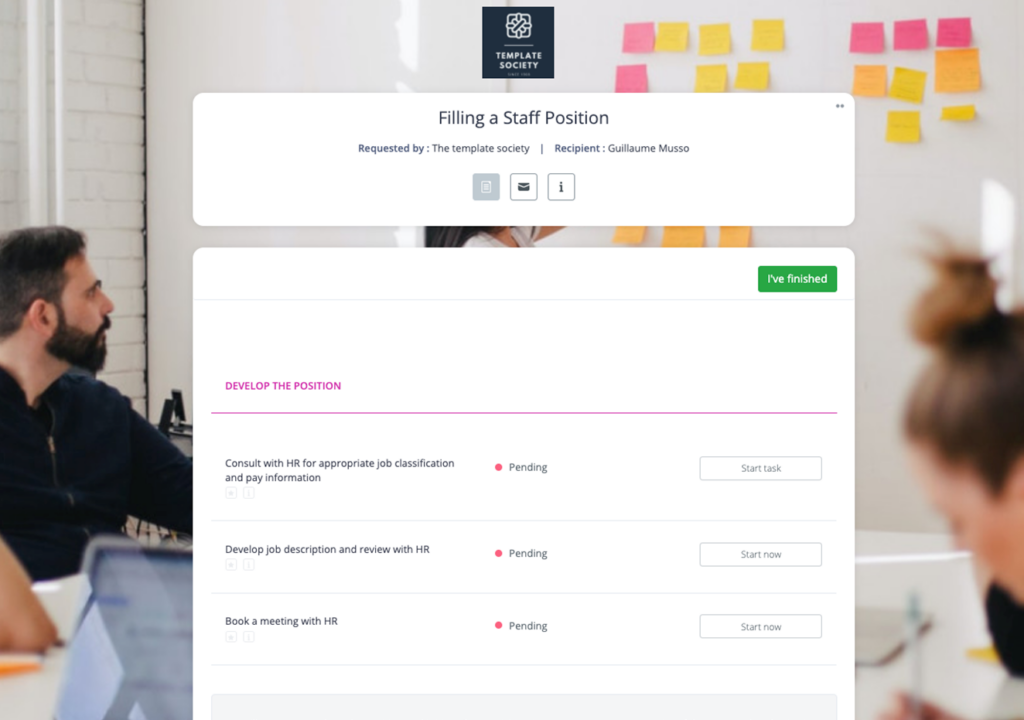
The Clustdoc employee onboarding checklist template organizes onboarding by stage, starting before a new hire arrives.
On paper, candidates print, scan and come to the office, while HR tracks every item by hand. Our employee onboarding software is built for this stretch, from the offer to day one.
Shelby Erectors, a US bridge construction subcontractor, used to lose candidates to other jobs during its slow paper process. Now, the team says, candidates who receive an offer complete their file and actually start the job.
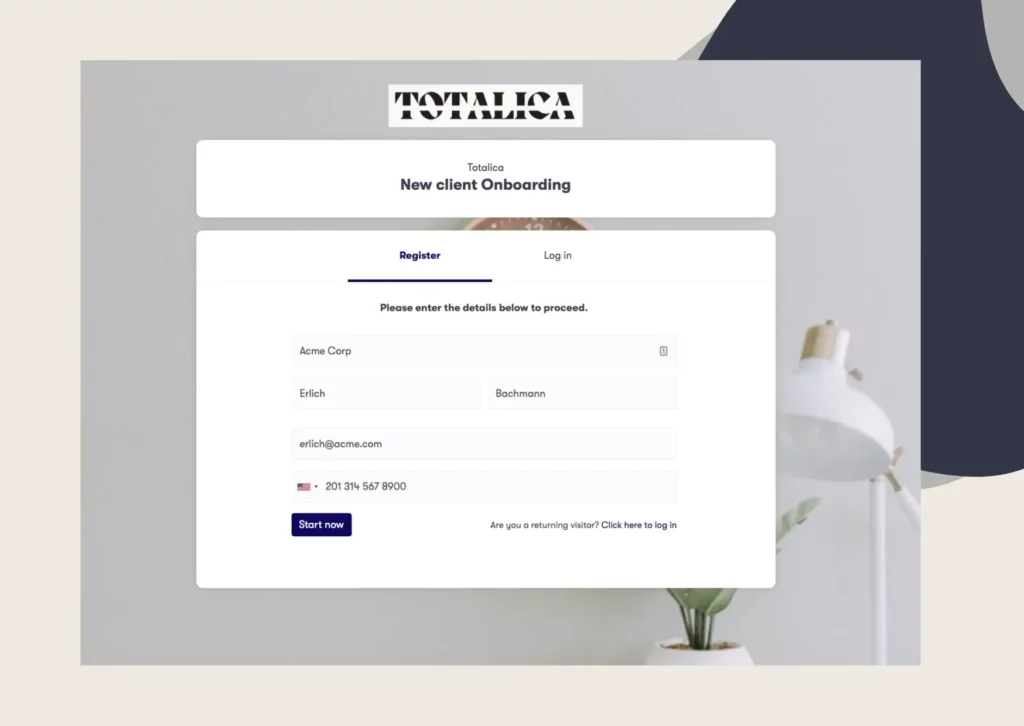
Each candidate receives a password-protected checklist they can access on their phone or computer. The checklist supports different languages, including Spanish, and saves their progress if they need to finish later.
Conditional forms show only the documents relevant to each candidate. For example, only employees hired to drive need to submit a driver’s license.
Candidates can also sign offer letters and contracts online using legally binding e-signatures. Automatic email and text reminders help them submit missing documents before the deadline.
Each uploaded document goes to the right person for review. For example, HR checks identity documents, while managers review professional licenses. Reviewers can approve or reject documents and explain what needs to be corrected.
Internal tasks are managed separately, with assigned owners and deadlines. HR can handle Form I-9 or right to work checks, while IT prepares laptops and system access.
Some companies also require documents to be approved before candidates can continue. For example, Specialist Care Team, a UK home care agency, requires ID approval before new hires can access the remaining onboarding steps.
With identity verification as a mandatory step, the contract can wait until the ID is verified and approved. The Form I-9 and right to work checks stay with your team, under the official rules described above.
When HR approves the last document, the candidate’s details are ready for your HR system or payroll software. Zapier or Make can send them there without code, or your developers can connect through our application programming interface (API).
Permissions decide which colleagues can open a candidate’s passport or bank details, on a SOC 2 Type II certified platform. We also handle the personal data in each file in line with the General Data Protection Regulation (GDPR).
Book a demo call and bring one role you hire for often, with the documents and checks it needs. We will map its steps from offer to day one and show how they would run in Clustdoc.
Candidate onboarding is everything HR and a new hire complete between an accepted job offer and day one. It usually covers the contract, the right to work checks, licenses, references, payroll forms and equipment.
Preboarding is the stage between a candidate accepting a job offer and their first day at work. Many teams use it as another name for candidate onboarding. During it, the new hire signs and sends documents, while HR checks them and IT prepares their equipment.
First, HR sends the offer letter and contract, then checks identity and the right to work. Next come licenses, certificates and references, then personal and payroll details, and finally equipment and accounts. In Clustdoc, the candidate completes their part online while your team reviews each item in the same file.
Most steps should wait until the candidate accepts, because they depend on the agreed role, pay and start date. In the US, the Form I-9 instructions also say the employee cannot complete the form before accepting a job offer.
Still stitching emails, files, and approvals together?
Clustdoc gives teams one place to run client-facing work, boost customer engagement and increase compliance.

Claire writes about customer onboarding, digital processes, and the day-to-day challenges faced by operations teams. At Clustdoc, she focuses on practical insights: how organizations collect information, guide customers through complex steps, and improve service delivery with automation.
This material is for informational purposes only. Nothing in it constitutes legal, financial, or other professional advice or carries any assurance of legal validity in any jurisdiction. Clustdoc shall not be liable for the material or for any action taken on the basis of it.