On a new hire’s first morning, the laptop is often still in its box and their logins do not work. HR hands them a stack of forms to fill in at a spare desk, then asks to see their ID. By lunch, they have met their manager for a few minutes but have not done any real work.
Each of these problems has a different owner. HR sends the forms, IT orders the laptop and sets up accounts, and the manager plans the first week. If nobody checks each part before the start date, the gaps only show up when the new hire walks in.
For HR teams that hire often or use fixed-term contracts, the same gaps come back with every new hire.
Put repetitive HR onboarding tasks on autopilot.
Many teams see onboarding as something that happens on the first day, such as a welcome meeting, office tour and paperwork. However, employee onboarding starts when someone accepts a job offer and continues until they can work independently. It includes contracts, legal checks, equipment, training and regular meetings with their manager.
HR onboarding focuses on tasks like employment contracts, tax forms, payroll setup and work eligibility checks. Orientation is shorter and usually covers basic company information during the first few days.
New employee onboarding doesn’t end when the paperwork is complete. Many companies continue the process for the first 90 days, while others extend it until the end of probation or the employee’s first year.
The table shows the employee onboarding process steps in five stages, from the accepted offer to the end of probation. For each stage, it lists when it happens, who acts, what gets done and which documents are involved.
Stage | When | Who acts | What happens | Documents |
|---|---|---|---|---|
Before day one | From the accepted offer to the start date | HR, the hiring manager, IT, the new hire | Contract signed, forms filled in, right to work checked (UK), laptop and accounts set up | Employment contract or offer letter, Form W-4 (US), direct deposit form, emergency contacts, right to work documents (UK) |
Day one | The first day of work | The manager, an onboarding buddy, IT, HR | Welcome, logins tested, team introductions, Form I-9 (US) | Form I-9 and the identity documents the new hire chooses to show (US) |
First week | The rest of week one | The manager, the buddy, HR or payroll | Role training, meetings with key colleagues, goals for 90 days, new hire reported to the state (US) | Employee handbook acknowledgment, training records, new hire report (US) |
First 90 days | Check-ins at 30, 60 and 90 days | The manager, HR, payroll | Progress reviews, first payslip checked, benefits confirmed | Benefits enrollment forms, check-in notes |
End of probation | When probation ends, then at one year | The manager, HR | Role confirmed, feedback on onboarding, goals for the year | Review notes, confirmation letter |
Most setup work can happen between the accepted offer and the start date, a stretch some teams call candidate onboarding. HR sends the contract and the new hire paperwork, such as tax and direct deposit forms.
UK employers must also check the new hire’s right to work before employing them. Meanwhile, IT sets up the laptop and accounts, and the manager plans the first week and picks a buddy.
When the setup is done beforehand, the first day can focus on the job and the team. The manager or buddy meets the new hire, checks each login and introduces the people they will work with most. Keep the other onboarding activities light, and end the day with a plan for the rest of the week.
In the US, the new hire must complete Section 1 of Form I-9 by their first day of work. The employer then has three business days after that day to complete Section 2.
To do this, HR examines the original documents the new hire presents. The new hire chooses which ones to show from the official lists, so HR cannot ask for a specific document.
A new hire who hears every policy and process on day one is unlikely to remember most of it. Spread the first week out instead, with some role training each day and short meetings with key colleagues.
Give them time to read the employee handbook before they sign to confirm they have received it. By the end of the week, the manager and new hire should agree on goals for the first 90 days.
For US employers, the first weeks also carry a legal deadline. Federal law gives you 20 days from the hire date to report each new hire to the state where they work. Some states require it sooner, and you must follow the deadline of the state you report to.
After the first week, onboarding continues with regular check-ins. At 30, 60 and 90 days, the manager reviews the new hire’s progress, discusses any problems and arranges additional training if needed.
HR also checks that the first salary payment and benefits are correct. Errors in bank or tax details may only become clear on payday. A short survey also gives new hires a chance to share feedback about anything they found confusing during onboarding.
If your contracts set a probation period, the manager and HR decide at its end whether to confirm the role. Base that decision on the check-in notes from the first 90 days, and confirm the outcome in writing.
A review at six months or one year is worth booking too, because some gaps only show up later. It shows whether the employee has the training, tools and contacts they need, and what to fix next time.
For UK staff whose right to work is time-limited, GOV.UK says to check their documents again before it runs out. Clustdoc’s employee document management software can track a visa’s expiry date, alert HR and request a new copy. The follow-up check itself stays with your team.
An onboarding plan that puts “HR” next to every task leaves one person chasing everyone else. It works better when each group knows its own part:
One person, usually in HR, should still own each new hire’s onboarding, so someone notices when a step slips. Plan the employee onboarding and offboarding process together too, since the same people later collect the laptop and close accounts.
Where do you start if your process lives in inboxes and spreadsheets? The best employee onboarding process for your team usually begins with the one you already run. List what happened for your last few hires, from offer letter to first payslip, and who did each step.
That list often shows where time is lost, such as new hires visiting the office just to hand in forms. Then fix it step by step:
An effective employee onboarding process also shows where it slows down, so track a few numbers. Count the days from offer to complete file, the documents missing on day one and the reminders sent.
During onboarding, HR often needs to collect signed contracts, tax forms and other documents. Our platform keeps all these requests in one onboarding workflow, so your team can easily see which documents are still missing.
Role-based permissions control who can access sensitive files, such as passport scans and contracts. Our platform is also SOC 2 Type II certified and complies with the General Data Protection Regulation (GDPR) to help protect employee data.
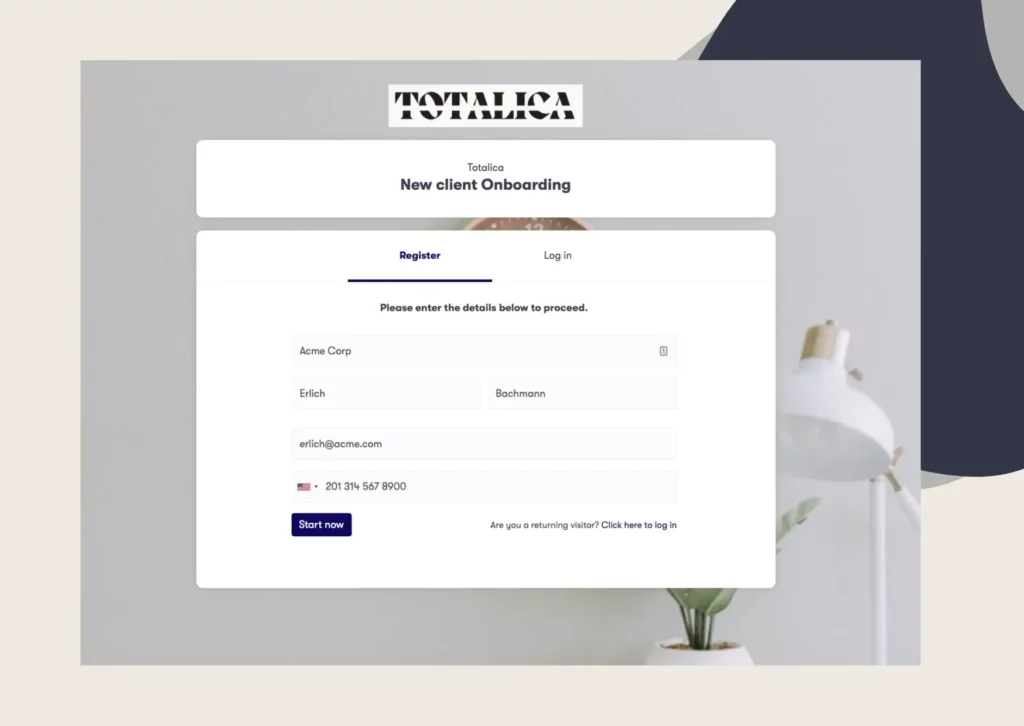
With our employee onboarding software, you send every new hire a secure link to their own checklist. It opens on a phone or computer, where they answer the forms, add each file and sign the contract. If they stop halfway, their answers are kept and they can finish another time.
Flows can also run in more than 10 languages, for new hires who are more at home in another language.
Each role or contract type can also have its own version of the checklist. Hôpitaux Iris Sud, a public hospital network in Brussels, needs different documents from administrative staff, nurses and paramedics. Its checklists show each new hire only the tasks that fit their role.
To save setup time, add our employee onboarding checklist template to your workspace and adapt its steps for each role.
Each upload goes to a reviewer, who approves it or sends it back with a comment. For anything still missing, automatic reminders go out by email or text message, so HR sends fewer follow-ups by hand.
Once the file is complete, the new hire’s details can reach your payroll software or HR system. Zapier, Make or our REST API can carry them across, instead of someone typing them in again.
Bring the onboarding steps you run today when you book a demo call, even if they live in a spreadsheet. We will go through them with you and show which forms, reviews and reminders Clustdoc can handle.
It is the set of steps that takes a new hire from an accepted offer to working without daily help. HR handles the contract, forms and legal checks, IT sets up equipment, and the manager runs training and check-ins. A simple way to plan it is in five stages, from before day one to the end of probation.
A common split is before day one, day one, the first week, the first 90 days and the end of probation. Each stage has its own owners and documents, starting with the signed contract and ending with the review notes.
Forms, equipment and logins should be ready by the end of the first week. Training and check-ins usually run for about 90 days, and many employers keep going until probation ends. With Clustdoc, new hires can finish most of their forms and documents before day one.
Send the laptop and set up accounts before day one, then collect forms, documents and signatures online. Plan video calls for introductions and check-ins, since a remote hire cannot ask the person at the next desk.
For Form I-9, US employers in good standing with E-Verify may examine the documents over a live video call. Other employers must examine the original documents in person, which an authorized representative can do for them.
Still stitching emails, files, and approvals together?
Clustdoc gives teams one place to run client-facing work, boost customer engagement and increase compliance.

Sampada is a content marketer at Clustdoc, writing about marketing, business, and technology that helps teams work more efficiently.
This material is for informational purposes only. Nothing in it constitutes legal, financial, or other professional advice or carries any assurance of legal validity in any jurisdiction. Clustdoc shall not be liable for the material or for any action taken on the basis of it.