Which client onboarding template should you start from, and how much of it will you have to change? The answer matters, because a generic template can look complete and still miss the files you need.
A template should cover every step a client takes before work starts, from the first form to the last signature. It should also include your team’s checks, and those steps differ from one industry to the next. For example, a bank asks for an ID and proof of address, while a property manager needs ownership papers.
When a template does not match your process, the gaps usually appear with the first few clients. Sometimes a contract goes out before anyone has checked the documents. Other times, a client uploads the wrong file because the request never named the one you needed.
Each template below comes from the Clustdoc template library, and each one is a complete process. A client onboarding template is a checklist of what a new client completes, in order, and what your team checks.
Banks and software companies usually call them customer onboarding templates, but the steps work the same way. Either way, you can change any step before a client sees it.
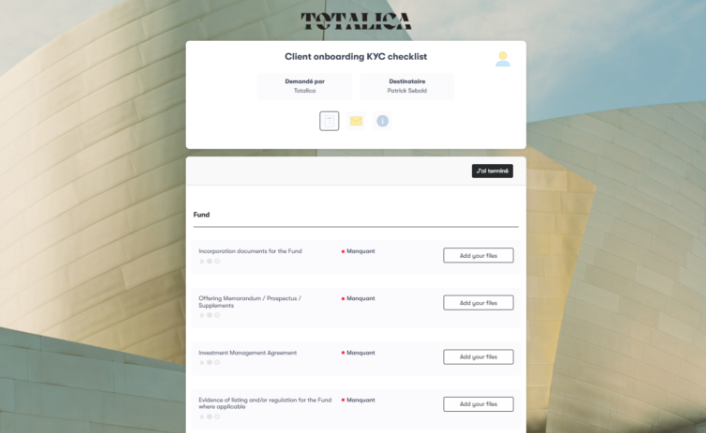
Banks and lenders have to check who a new client is, and for a company, who owns it. Our client onboarding KYC checklist collects the files for these know your customer (KYC) checks, one section per client type. A fund, for example, uploads its incorporation documents and its investment management agreement.
The current account opening application is for customers opening a bank account online. They fill in an information sheet, then upload a valid passport, proof of address and payslips.
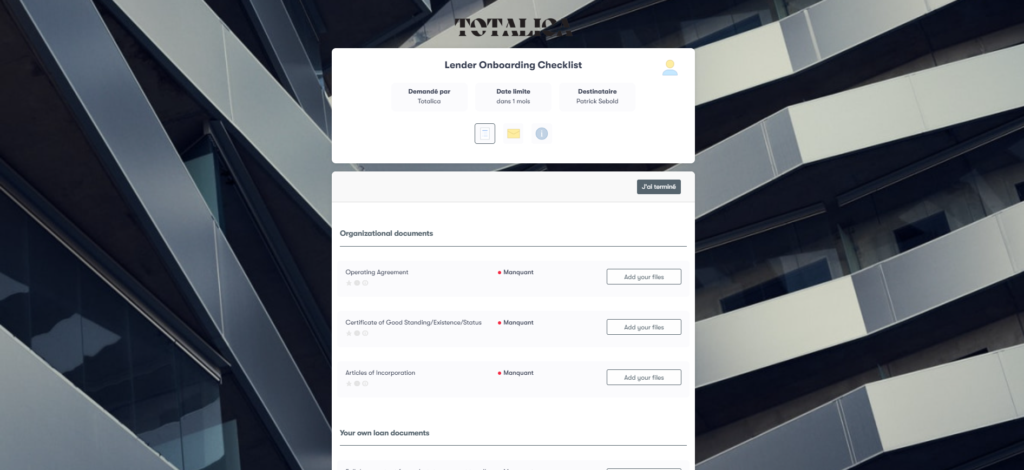
When the client is a lender itself, our lender onboarding checklist template starts with its organizational documents. These include the operating agreement, articles of incorporation and certificate of good standing, followed by its own loan documents.
For home loans, the mortgage loan application checklist asks for pay stubs and bank statements. Self-employed borrowers also see requests for profit and loss statements and business tax returns.
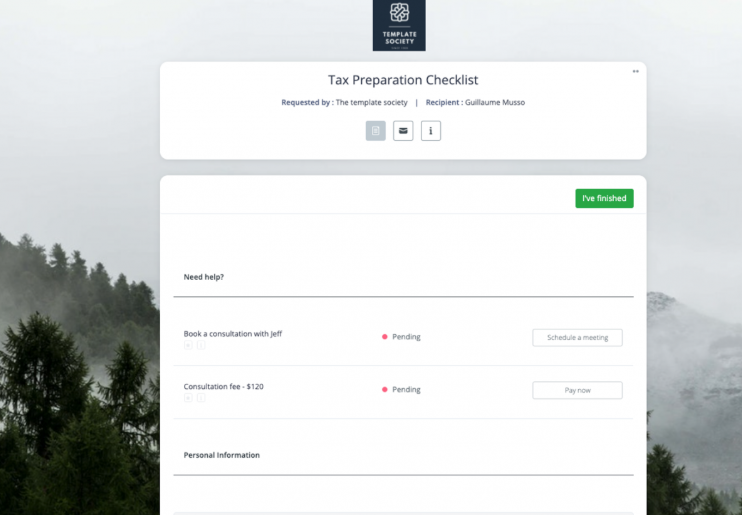
In an accounting workflow, the requests you send clients repeat every tax season, so they suit a template well. Our tax preparation checklist asks for tax forms such as W-2s and 1099s, along with reports of taxes paid. Clients can also book a consultation and pay your fee as steps in the same checklist.
The tax return checklist focuses on the return’s documents: a tax questionnaire, W-2 forms and employment expense logs. It also asks for an ID and a summary of income.
When a client is buying a business, the due diligence checklist gathers the company’s key records before the deal closes. These include business agreements, employee contracts, intellectual property certificates and financial statements.
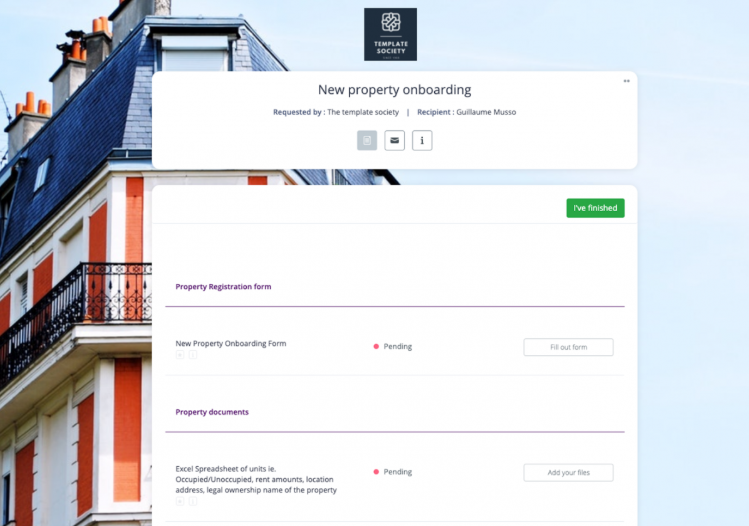
A property manager onboards two kinds of clients: owners who hand over a property and tenants who rent it. The new property onboarding checklist starts with a registration form and a spreadsheet of the units and rent amounts. The owner then signs the property management agreement as part of the same checklist.
Agencies that represent landlords can use the landlord onboarding template instead. It pairs a property information sheet and a payment authorization with requests for proof of ownership and insurance.
For tenants, the rental application checklist collects personal and guarantor details, government IDs and financial statements. It also asks for rental history, so you can review the applicant before you agree to a lease.
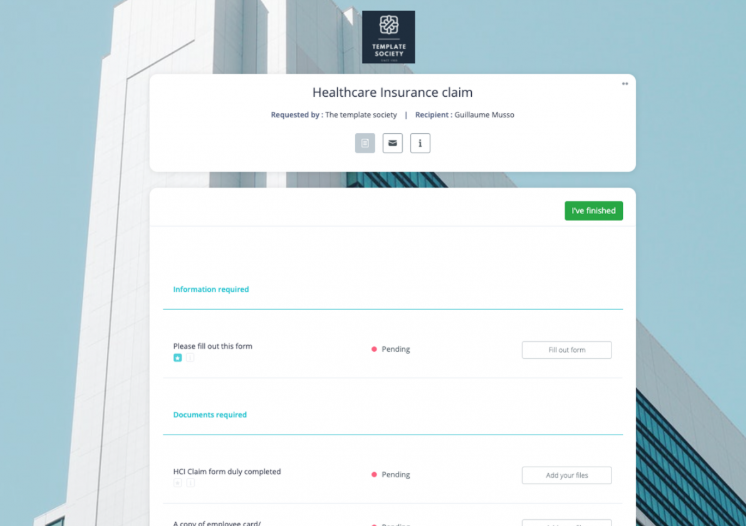
Our insurance templates are built around claims, which clients often file at a difficult time. The healthcare insurance claim checklist first asks about the policy, the patient and the illness, plus the hospital admission record. It then requests the claim form, the insurance membership card, medical reports and the doctor’s prescription.
The travel insurance claim template collects proof of travel, travel dates, trip costs and cancellation details. If the claim includes medical treatment, the client adds medical records to the same file. Each claim’s files are saved together in one folder, ready for your team to review.
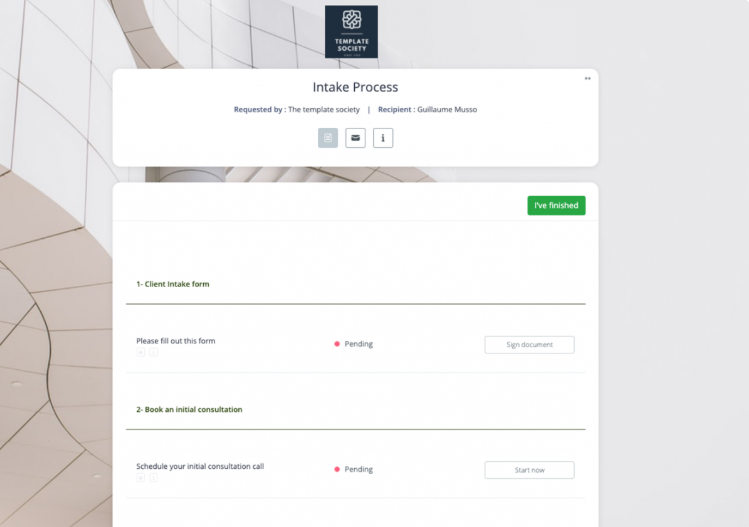
A law firm needs the client’s details and the facts of the case before agreeing to represent them. The application for legal assistance template collects both through an intake form and a request for supporting documents. The client then signs the contracts in the same flow.
Our intake process template adds a first consultation and a payment step. The client signs the intake form, books the consultation and uploads a passport or driver’s license. Later, they sign the representation agreement and pay the legal fees without leaving the portal.
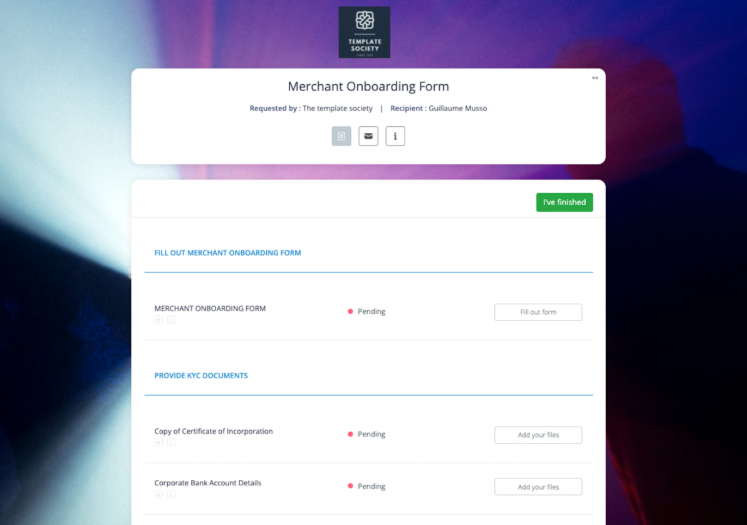
Payment providers onboard merchants, so their questions focus on who owns the business and where payouts go. The merchant onboarding form collects the merchant’s legal name, address and website, plus details of its owners. That includes its ultimate beneficial owners, meaning the people who really own or control it.
Merchants then upload business licenses, incorporation documents and bank details for payouts. They also sign the processing agreement and fee disclosures before the account goes live.
The merchant card processing request asks for business details, bank data and projected transaction volumes. For suppliers, the vendor onboarding checklist collects contracts, service level agreements and tax forms. It then sends review tasks to your legal, compliance and finance teams.
Software-as-a-service (SaaS) companies often need data from a new customer before they can set up the account. Our SaaS customer onboarding checklist covers the time from the signed contract to the day the customer gets access. It asks for configuration details and company registration documents, then gives your team tasks to check the setup.
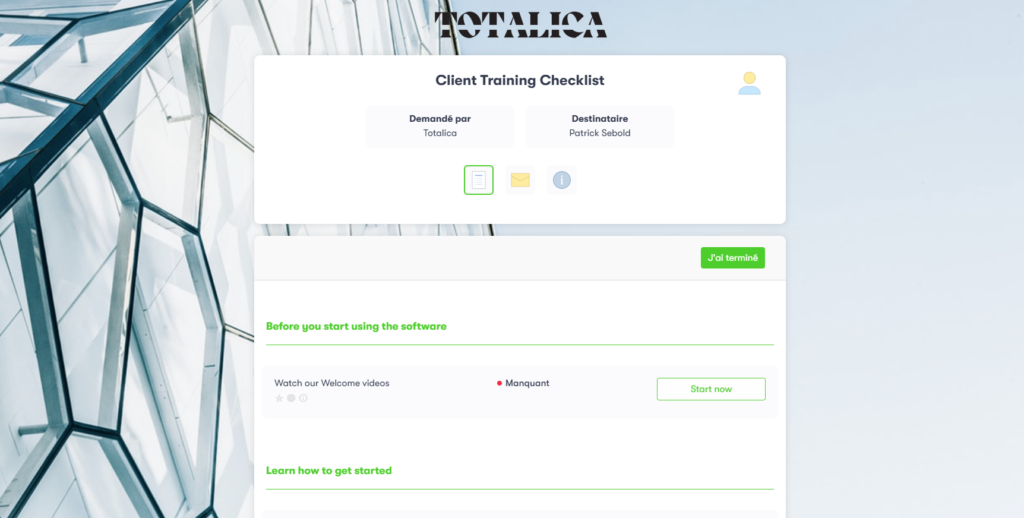
Product onboarding comes next, once the account is ready. The client training checklist starts new users on welcome videos and the first steps in the software.
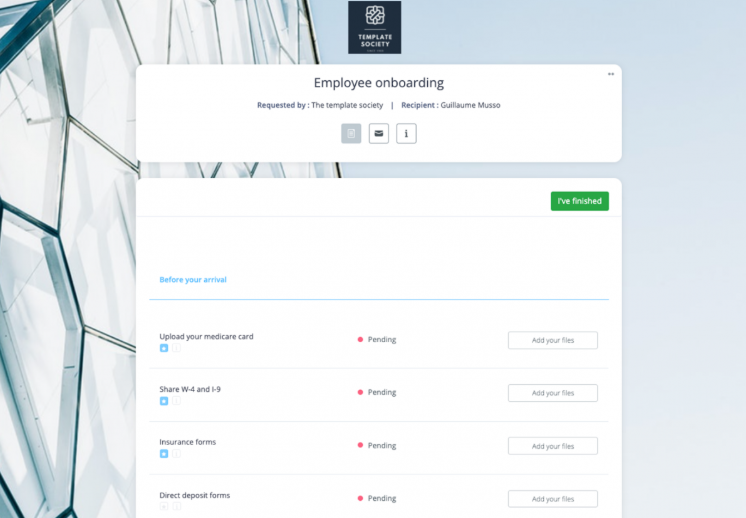
Human resources (HR) teams follow the same kind of steps once a candidate accepts the job offer. The employee onboarding checklist asks for tax and work eligibility forms, such as the W-4 and I-9. It also collects insurance and direct deposit forms before the start date.
The new hire then signs a non-disclosure agreement and, on day one, receives the first week’s schedule and employee handbook. Employee onboarding and client onboarding share a lot of paperwork, but they differ in who owns each step.
Your industry may not be on the list, or you may want to check a template before using it. Whether it is a Word file, a fillable PDF or an online form, a good template follows this order:
For a general starting point, our onboarding checklist for new clients splits these parts into two lists. One holds the steps the client completes, and the other holds the tasks your team handles.
It also helps to map your client onboarding process first, because a template follows whatever order you give it.
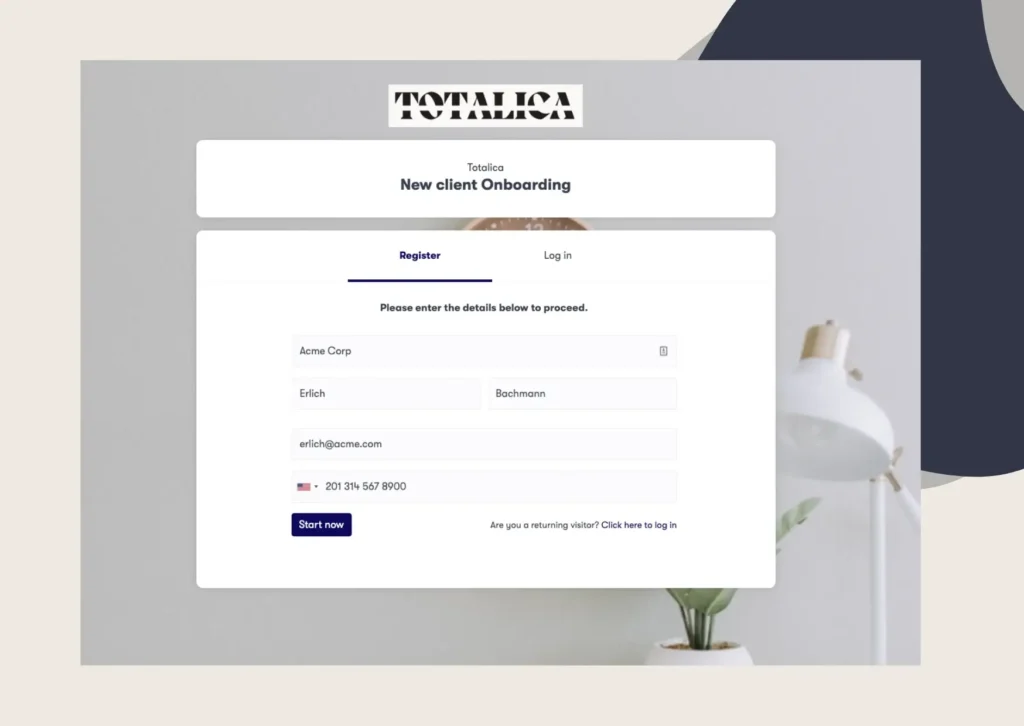
In Clustdoc, the first step is to import the template into your workspace. Then remove the requests you never use and rename the rest in words your clients understand. You can also add rules, so each client sees only the requests that apply to them.
Next, set due dates and automatic reminders for any file that is still missing. After that, choose the reviewer who approves each file or sends it back to the client.
Once the template goes out, clients see what is expected, what is complete and what comes next. Your team tracks the same progress in our customer onboarding software, from the first form to the final approval. When onboarding is complete, the client’s data and documents can move on to your customer relationship management (CRM) system.
Start with the template closest to your current process. Book a demo call to review it with our team and see which steps you would change for your clients.
Clustdoc's template library has ready-made templates for banks, lenders, accounting firms, property managers, insurers and law firms, among others. Each one already holds the forms and file requests for that kind of client, so you only change what differs.
Many teams also reuse the same templates for routine requests from clients they already work with.
Yes, and for a few clients a year it can be enough. As the number of clients grows, each copy ends up in a different inbox. Someone then has to update a spreadsheet by hand to see which files are still missing.
In Clustdoc, an online template keeps the form, the uploaded files and the status of each request in one place.
Yes. In Clustdoc, you can add rules that show or hide steps based on a client's answers or profile. A sole trader, for example, never sees the requests meant for a company's directors and owners.
A template gives you the structure, but it is not legal, financial or professional advice. Clustdoc publishes its templates for information only, so check them against the rules that apply to you. Those might be know your customer (KYC) rules for a bank, or professional standards on engagement letters for accountants.
Still stitching emails, files, and approvals together?
Clustdoc gives teams one place to run client-facing work, boost customer engagement and increase compliance.

Marie is the voice of the customer at Clustdoc, she loves guiding businesses toward clarity in their processes and client interactions for better performance and peace of mind.