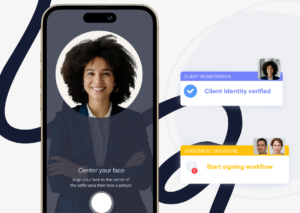
Digital onboarding is the process a new client completes to start working with you. It usually covers forms, documents, identity checks, and signatures, all handled online.
When it works, clients finish in one sitting and your team barely touches it. When it fails, applications stall, files arrive by email, and people quietly give up.
We covered the digital onboarding mistakes customers notice most in an earlier post. This guide is the practical companion to it. It breaks down the four mistakes that cost you the most clients, then shows how to fix each one with automation.
The most common digital onboarding mistakes are asking for too much at once, leaving steps unclear, chasing clients by hand, and weak document security. Each one causes drop-off.
> Fixing them usually means simplifying and automating the flow. Clustdoc removes these friction points. Book a demo to see a smoother onboarding.
These four customer onboarding mistakes show up in every industry, from lending to legal intake. Each one pushes a share of new clients to give up before the paperwork is done.
Long intake forms are the fastest way to stall a new client. When the first screen demands every detail, every document, and every signature at once, people put it off. A task that felt like ten minutes now looks like an afternoon, so it moves to next week.
The damage gets worse when nothing is filtered. Clients get asked for documents that do not apply to their situation, and the process starts to feel careless. Some will wonder whether the rest of the relationship will feel the same.
This is also one of the most common onboarding mistakes small businesses make. Small teams reuse one giant form for everyone, because building separate paths takes time they do not have.
A client uploads a document and nothing happens. No confirmation, no status change, no sign of what comes next. From their side, the process has gone dark.
The same problem appears as unordered steps. When forms, files, and signatures sit in one flat list, clients cannot tell what is required now and what can wait. Most stop at the first point of confusion and wait for someone to tell them.
Every one of those pauses lands in your inbox as a status question. Answering them becomes a job of its own, and the slowest answers turn into lost clients.
This kind of drop-off is hard to spot, because nobody complains. The application just sits unfinished until everyone forgets about it.
Someone on your team writes the reminder emails. They check a spreadsheet, see who has not sent their documents, and follow up one by one. That works at five open files and collapses at fifty.
Manual chasing rarely travels alone. It usually comes packaged with the other common mistakes in manual onboarding processes, like tracking status in spreadsheets and collecting sensitive files over email.
The cost is not just staff time. Follow-ups go out late or not at all, so clients sit idle for days at a time. The ones you chase least are usually the ones who quietly disappear.
Every manual touch also adds a place where things get missed. A reply lands in one inbox and never reaches the person handling the file.
Onboarding means collecting some of the most sensitive files a client owns. Think identity documents, financial statements, and signed contracts. Requesting them as plain email attachments tells clients you have not thought hard about protecting them.
Some clients will push back and ask for a safer channel. More will simply hesitate, delay the upload, and let the process stall. Email also leaves no record of who accessed what, which makes any later dispute harder to settle.
In regulated industries, weak handling creates compliance exposure on top of lost trust. Frameworks like KYC and AML set expectations for how client data is collected and verified, and the exact rules vary by country and industry.
Each mistake above has a direct automation fix. You do not need to rebuild your operation, only the flow your clients touch. Most teams can roll these out one at a time, in any order.
Split the one giant form into small steps, and show each step only when it applies. Conditional logic handles this. The answers a client gives decide which tasks appear next, so a company applicant sees different requirements than an individual.
In our platform, conditional rules mean each client sees only the steps that are relevant to them. Nobody wades through requests that were written for someone else.
Shorten the first request too. Ask for what you need to begin, and collect the rest once the relationship is moving. Clients move faster when each screen asks for one thing at a time.
Replace the flat list with a step-by-step checklist that shows progress and names the next action. Clients should always see what is done, what is pending, and what is waiting on your team.
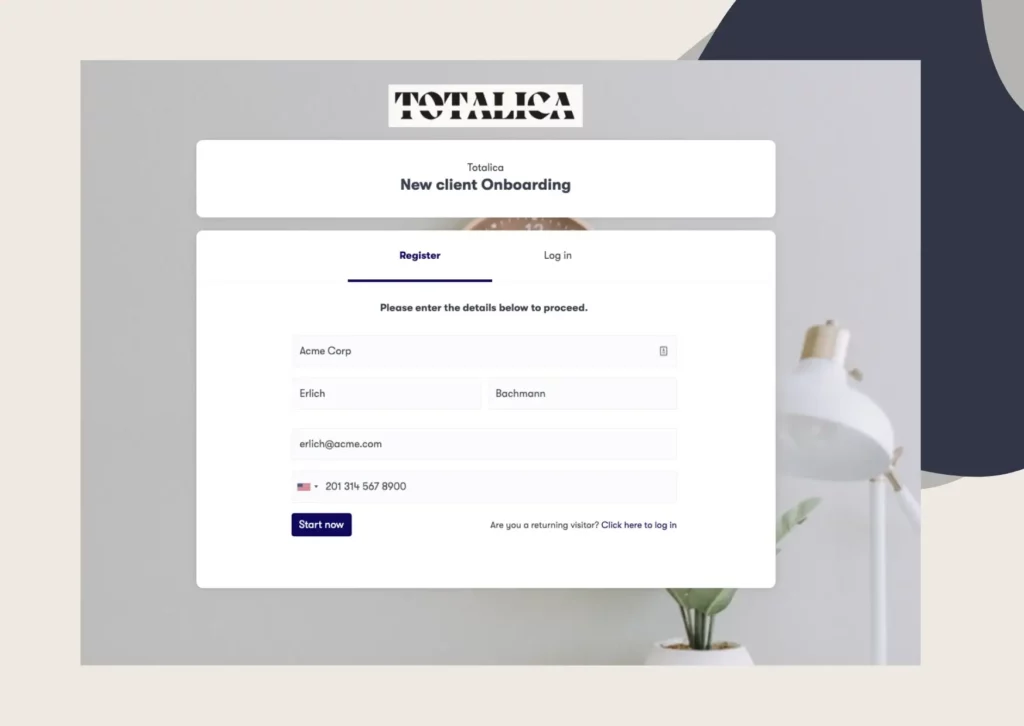
A branded client portal does this well because everything lives in one place. Clients upload files, complete forms, and sign from any device, so they do not have to go searching through email threads for the next task.
Status questions drop off because the answer is already on the screen. Your team gets that time back for actual review work.
A visible checklist also sets expectations at the start. When clients can see the full set of steps on day one, the process feels finite instead of open ended.
Set the reminders once and let them run. Automated reminders can go out by email or SMS, either on a schedule or when an event triggers them. A document request that sits untouched for a few days can fire its own follow-up.
We pair this with document collection, so missing or expiring items are flagged and chased automatically. Your team sends fewer reminder emails and spends more time reviewing what actually arrives.
Clients respond better as well, because the follow-up reaches them while the task is still fresh.
Give clients one secure place to submit everything instead of an inbox. A dedicated digital customer onboarding solution keeps identity checks, document collection, and signatures inside one governed flow.
Security then becomes a property of the platform rather than a habit you hope everyone keeps. Data is encrypted in transit and at rest, access is role based, and every upload, approval, and signature is time-stamped in an audit trail.
For regulated teams, certifications are worth checking before committing to any platform. Clustdoc is SOC 2 Type II certified and GDPR compliant, with consent capture built into every workflow.
Use this quick onboarding checklist to catch the most common onboarding mistakes before your next client does. Walk through your own flow as if you were the client, and check every line.
If any line fails, you have found the mistake that is costing you clients right now. Fix that one first.
Fixing these four mistakes mostly means moving the work into one automated flow. If you want to see what that looks like on your own process, Book a demo call and walk through it with the Clustdoc team.
User onboarding mistakes usually refer to software products, where a new user learns an app on their own. Client onboarding covers documents, approvals, and compliance between two parties. The core failures are the same in both: too much friction and no clear next step.
Yes. Supplier onboarding mistakes follow the same pattern, with compliance documents and contracts instead of client paperwork. Conditional steps, a shared checklist, and automated reminders fix vendor flows the same way they fix client flows.
Track how many clients start your process and how many finish, then look at where the rest stop. The step with the most abandonment usually maps to one of the four mistakes above. Time to completion matters too, since a slow flow often hides stalled clients.
Start with manual chasing, because automated reminders are quick to set up and free your team's time immediately. Use that time to restructure the steps themselves. Security should not wait if you handle regulated data.
A short pilot on one client type will show results faster than a full rebuild.
Still stitching emails, files, and approvals together?
Clustdoc gives teams one place to run client-facing work, boost customer engagement and increase compliance.

Claire writes about customer onboarding, digital processes, and the day-to-day challenges faced by operations teams. At Clustdoc, she focuses on practical insights: how organizations collect information, guide customers through complex steps, and improve service delivery with automation.