Online workflow management means running your repeatable processes from any device, with every step, owner, and status in one place. It beats spreadsheets and email because nothing depends on one person remembering to follow up.
Done well, work moves on its own and everyone can see where things stand. Done badly, tasks live in inboxes, versions multiply, and clients wait for answers.
This guide shows you how to manage workflows online in five steps. You will also find the features that matter, real workflow examples, and how Clustdoc runs client onboarding workflows online.
The sequence below works for any repeatable process, from client onboarding to internal approvals. Each step builds on the one before it, so follow them in order.
Start by writing the workflow process down before you touch any software. List every step from the trigger, such as a signed proposal or a new hire’s start date, to the finished outcome. For each step, note who owns it, what they need before starting, and what done looks like.
Be specific about inputs. “Collect client documents” is vague, but “collect ID, proof of address, and the signed agreement” can actually be tracked. Vague steps are the ones that stall later.
Most teams find gaps at this stage. Two people each think the other one sends the welcome email, or a step depends on a file nobody requests. Fixing these on paper costs nothing, and it makes setup much faster later.
Spreadsheets can record a business workflow, but they cannot move it. Someone still opens the sheet, chases the owner, and updates the status by hand. Email is worse, because every request becomes a thread only two people can see.
|
|
Spreadsheets and email |
Online workflow tool |
|---|---|---|
|
Status updates |
Typed by hand, often stale |
Update as steps close |
|
Reminders |
Sent when someone remembers |
Scheduled and triggered automatically |
|
Visibility |
One file or inbox at a time |
Live view shared by the whole team |
|
Handoffs |
Manual messages between owners |
Next owner notified on completion |
|
Access |
Tied to one computer or account |
Any device with a browser |
Moving workflow management online removes that manual relay. When one step closes, the next owner is notified and everyone sees the new status.
Pick a tool that matches the shape of your work, not the longest feature list. A team routing internal approvals needs different things than a team collecting documents and signatures from clients. Write down the three moments where your current process breaks, and test every candidate against them.
Compare a shortlist of two or three options against the process you wrote in step one. Our guide to workflow management software breaks down the main tool categories if you want help building that shortlist. The features section below covers what to check before you commit.
Every step needs exactly one owner and a real due date. Shared ownership sounds collaborative, but in practice it means nobody acts until someone asks. If two people genuinely share a step, split it into two steps.
Then set up the handoffs. The next person should be notified the moment their step is ready, with everything they need attached. This is where an online workflow management tool earns its keep, because handoffs between people are where work most often stalls.
A process with clean handoffs keeps moving on weekends, across time zones, and while you sit in meetings. That is what running a process from anywhere actually means.
Turn on workflow automation for the repetitive parts. Reminders for overdue items, notifications when a document arrives, and status changes when a step closes should all happen without a human touching them. Your team then spends its attention on reviews and decisions instead of follow-ups.
Give the workflow two or three full runs, then review it. Look for steps that always finish late and for reminders people ignore, then adjust both. An online process shows you this data as it runs, which a spreadsheet never could.
Most tools cover the basics, so judge online workflow management software on the parts that fail in daily use. These features separate tools that run processes from tools that just list tasks:
Also check who can change the workflow. If every adjustment needs a developer or a support ticket, the process will drift out of date within months. The best tools let a non-technical process owner edit steps, forms, and reminders directly.
Client onboarding is the clearest case for running workflows online. The process repeats for every new client and involves people outside your company. Common examples include:
Each one follows the same pattern: collect information, review it, approve or reject it, then hand off to the next stage. Regulated versions add identity verification steps, such as KYC checks, where requirements vary by country and industry. That pattern is exactly what online workflow platforms are built to run, which is why onboarding teams adopt them first.
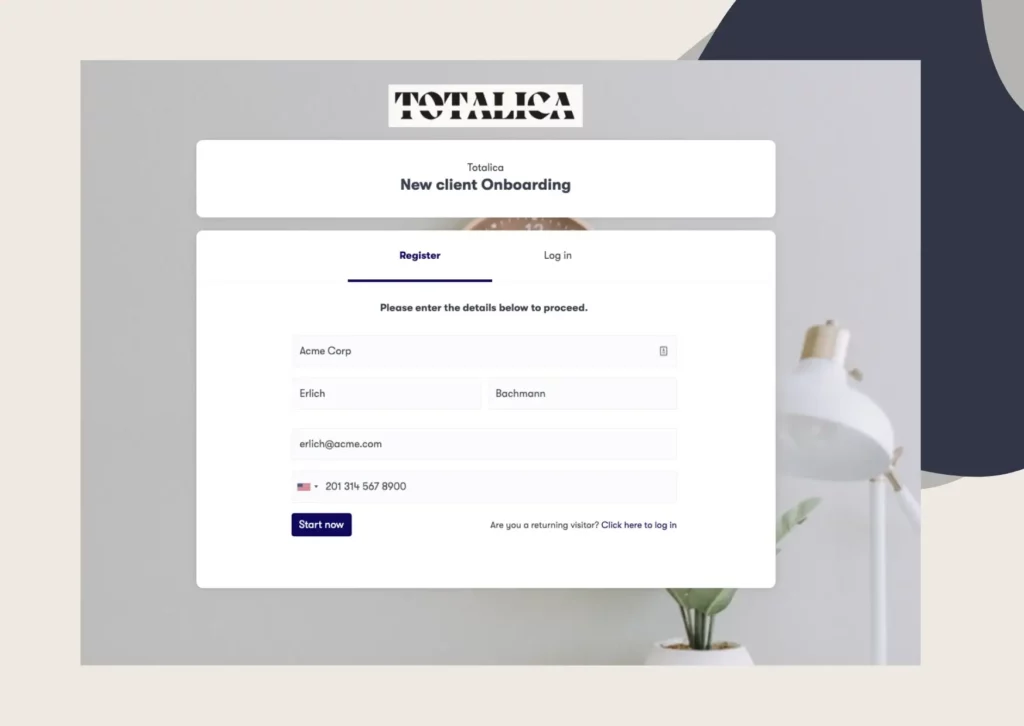
We run this exact category of work: repeatable onboarding processes involving clients, documents, and approvals. You design the process once, with forms, document requests, tasks, and approval steps. Then you launch it for each new client, who completes everything from a branded portal on any device.
The follow-up work happens automatically. Automated email and SMS reminders chase outstanding items. Submitted documents can be accepted or rejected, with version tracking.
Contracts are signed electronically, in sequential or parallel order. Our workflow and task management module assigns tasks to clients or team members, with due dates and real-time completion tracking.
The results are measurable. Our customers report cutting onboarding time in half, and more than 1.8 million onboarding flows have been launched through our platform.
To see your own onboarding process running online, book a demo call with the Clustdoc team.
Online workflow management is running a repeatable process through a cloud-based tool instead of spreadsheets, email, or paper. Every step, owner, and deadline lives in one shared place. Anyone on the team can check status without asking around.
Group candidates by the work they are built for: general task tracking, approval routing, document collection, or full client onboarding. Then shortlist two or three from the category that matches your process. A long list of similar tools slows the decision down without improving it.
Yes. Most modern tools are no-code, so you build steps, forms, and reminders through a visual editor. If a tool needs a developer for routine changes, pick a different one.
Workflow management is the whole practice: defining steps, owners, deadlines, and status. Workflow automation is the part a tool does for you, such as sending reminders or routing a document to the next reviewer. You need the first to get real value from the second.
A simple process with clear steps can be live in a day or two, especially if you start from a template. Complex workflows involving several teams take longer, because agreeing on the process is the slow part, not the software.
Still stitching emails, files, and approvals together?
Clustdoc gives teams one place to run client-facing work, boost customer engagement and increase compliance.

Claire writes about customer onboarding, digital processes, and the day-to-day challenges faced by operations teams. At Clustdoc, she focuses on practical insights: how organizations collect information, guide customers through complex steps, and improve service delivery with automation.