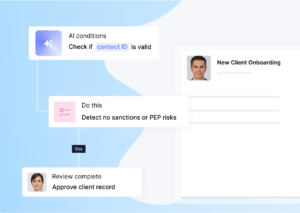
A new customer has already said yes, but the real work often starts after the contract is signed. Details need to be collected, documents need approval, forms have to be completed, and people may need to take action before the customer can use the service.
This is where onboarding can either build confidence or create friction. The right software can keep that process organised without turning it into a rigid checklist that frustrates clients or staff.
If you are asking what is customer onboarding software and how it fits into your process, this guide explains what these platforms do and what to check before choosing one for your business.
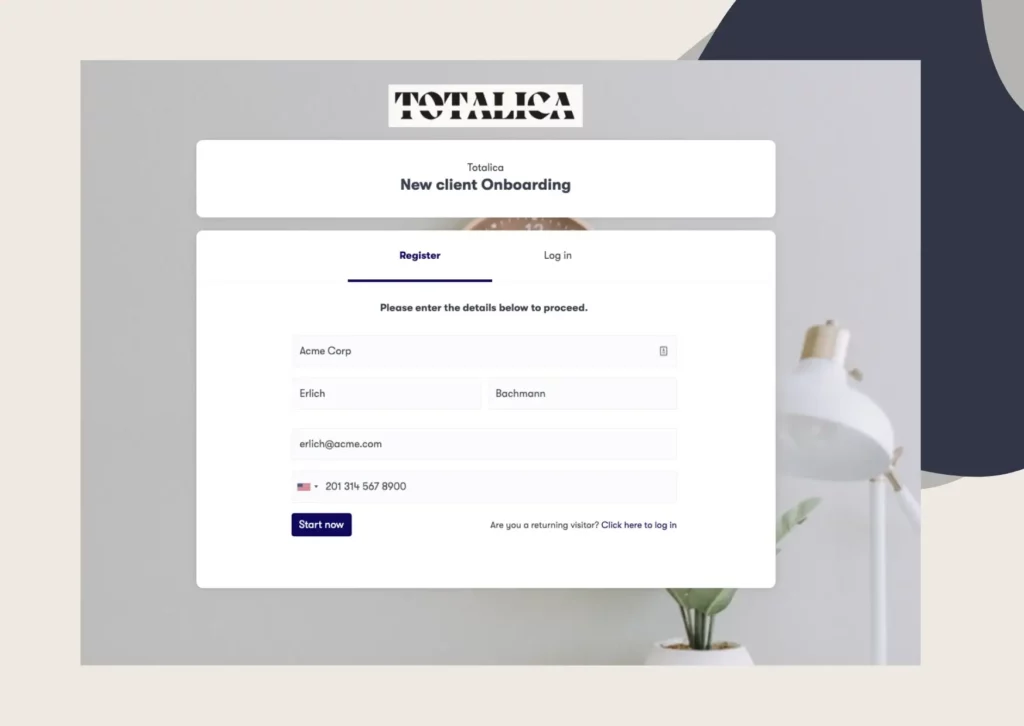
Customer onboarding software puts the whole onboarding process in one place. Instead of sending several emails, forms, and attachments, you can send the customer one link. They follow the steps, upload what you need, sign documents, and see what is left to complete. Your team can track their progress at the same time.
You may also see it called digital customer onboarding software. The name is different, but the purpose is the same. It helps you collect customer details, documents, signatures, and other information without relying on long email threads.
Many teams start looking for new customer onboarding software when their current process becomes difficult to manage. A customer may complain, a team member may leave, or new compliance rules may add more steps.
The main benefit is simple. Everything stays in one workflow, so customers move through onboarding faster and your team is less likely to miss an important task.
Not every onboarding platform works the same way, though. Some are built for simple self-service onboarding, while others are designed for more complex processes with documents, approvals, and multiple steps.
Most customer onboarding software solutions fall into one of two camps, and the split matters more than any feature list. Buying from the wrong camp is the most common mistake in this category.
|
|
Self-serve onboarding |
High-touch onboarding |
|---|---|---|
|
Where it lives |
Inside your product |
Around your product |
|
Customer’s role |
Explores and activates alone |
Completes steps you request |
|
Core features |
Tours, checklists, nudges |
Forms, documents, eSignatures |
|
Typical buyer |
Product or customer success team |
Operations or compliance team |
|
Common fit |
Product-led SaaS |
Banking, legal, HR, real estate |
Self-serve tools live inside your product. SaaS customer onboarding software often takes this shape: in-app tours, progress checklists, and nudges that help a user reach first value without human help. The customer does the work, and the software shortens the path.
Some products in this camp are sold as customer success onboarding software. They give account managers a view of adoption, so they can step in when usage stalls. If your customers activate themselves, this is your camp.
These tools measure success in activation and retention numbers. If a user reaches the key feature faster, the tool did its job.
High-touch tools live around your product, or replace a manual service process entirely. You use them to collect documents, verify identities, capture signatures, and route internal approvals. The customer completes steps you define, and your team reviews what comes in.
B2B customer onboarding software usually sits at this end, because business deals come with paperwork. Law firms collect case files, lenders collect financial statements, and agencies collect brand assets and access. The tool’s job is to make that collection faster and less painful for both sides.
Success here looks different: fewer follow-up emails, fewer errors, and a record of who submitted what and when.
Choosing comes down to three moves: map your process, check the features against it, then pressure-test the vendor with direct questions. Work through them in order, because each step narrows the next one.
Write down every step between signed deal and active customer, and note who completes each one. Include the invisible steps, like waiting on a compliance review or chasing a missing document. Those gaps are usually where onboarding time disappears.
Now mark each step as self-serve or assisted. If most steps involve the customer exploring your product, shop in the self-serve camp. If most steps involve collecting files, data, approvals, or signatures, shop in the high-touch camp.
The map also gives you a test script for demos. Instead of watching a vendor’s polished example, ask them to build three of your real steps. How the tool handles your messiest step tells you more than any feature page.
Feature lists blur together across vendors, so anchor on the ones that change outcomes. For a document-heavy process, these matter most:
Treat most other features as nice to have. A customer onboarding software platform earns its cost by removing follow-up work, and every item on this list removes a specific piece of it.
Demos look smooth because vendors rehearse them on clean examples. These questions surface the rough edges before you commit:
Ask every vendor the same list and write the answers down. Vague answers on reminders and rejection handling usually predict the manual work you will keep doing after you buy.
Clustdoc sits firmly in the high-touch camp. Our platform is built for teams that run the same document-heavy onboarding repeatedly, in industries like financial services, legal, HR, real estate, and education.
One branded portal carries the whole flow. Customers complete forms, upload documents, sign contracts, and pass KYC or KYB identity checks in a single guided checklist. Your team reviews submissions, routes approvals, and lets automated reminders chase whatever is missing.
The results are measurable. Our customers report cutting onboarding time in half, and more than 1.8 million onboarding flows have been launched through our platform. It is also SOC 2 Type II certified and GDPR compliant, which answers several of the questions above.
If your process matches that shape, see how Clustdoc’s customer onboarding software maps to the steps in this guide. If your onboarding is purely in-app and self-serve, a product-tour tool will serve you better, and knowing that saves you a demo.
Book a demo call when you are ready to see your own process running on Clustdoc.
There is no single best customer onboarding software, because the category splits into self-serve and high-touch tools. The best tool for a product-led app would be a poor fit for a law firm. Match the tool to your onboarding model first, then compare features within that camp.
A CRM tracks the relationship and the sale. Customer onboarding software runs the work that starts after the deal closes, collecting information, documents, and signatures until the customer is active. Many teams connect the two, so a closed deal automatically triggers an onboarding flow.
Banking onboarding is regulated, so the software must support KYC and AML checks, identity verification, and a complete audit trail. Requirements vary by country and regulator, so flexible workflows matter more than fixed templates. That is why banks tend to buy document-heavy platforms rather than in-app tour tools.
Pricing usually scales with users, workflows, or onboarding volume, and enterprise tiers add security and branding options. Most vendors publish monthly plans and quote enterprise pricing on request. Compare prices only after you know which camp you are buying from, because the two camps price differently.
Mostly, yes. Vendors say client for services businesses like legal, accounting, and consulting, and customer for SaaS and banking. The workflows underneath are the same: collect what you need, guide the person through it, and track progress.
Still stitching emails, files, and approvals together?
Clustdoc gives teams one place to run client-facing work, boost customer engagement and increase compliance.

Claire writes about customer onboarding, digital processes, and the day-to-day challenges faced by operations teams. At Clustdoc, she focuses on practical insights: how organizations collect information, guide customers through complex steps, and improve service delivery with automation.