
Email is built for conversation, not for tracking deliverables. That is why a six document request turns into an eleven message thread.
The steps below show how to collect documents from clients with one tracked request instead. You send one list, clients get one upload link, and every item carries a visible status.
A clear document collection process helps you get the right files from clients faster, with fewer follow-ups and less confusion on both sides.
Write down every document you need before you contact anyone. Keep a separate list for each scenario. A new business client and a returning individual should never get the same request.
Every line on that list needs three things:
Vagueness is the most common cause of delay. A client who is unsure what you mean will guess, send the wrong file, or simply wait.
Send everything in a single request with one deadline and one link. Each extra ask restarts the clock and doubles the thread.
Tie the deadline to something the client already cares about, like a filing date or a closing date. Then say plainly what slips if the documents arrive late.
Put four things in that first message:
Client document collection falls apart when files arrive as attachments spread across threads and personal inboxes. Give clients one destination instead.
When you request documents online through a single secure link, every file lands against the item it belongs to. Nothing has to be matched up by hand later. Large scans also stop bouncing off attachment size limits.
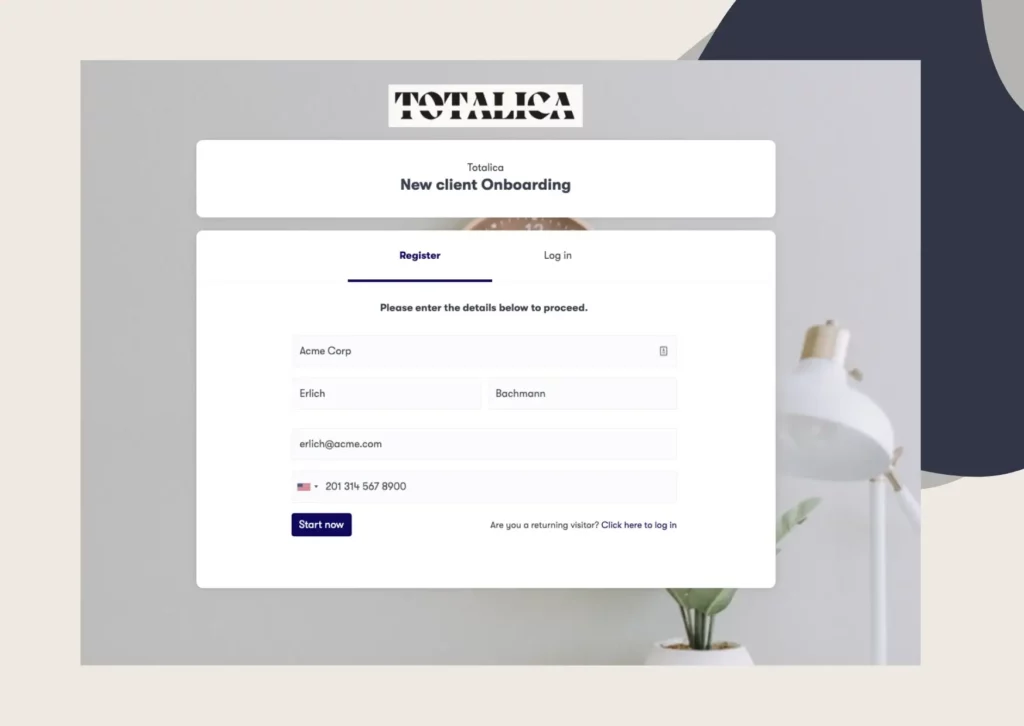
A branded client onboarding portal is the cleanest version of this. Clients open it on any device, see their own checklist, and upload straight into it. Clustdoc portals are white labelled, so clients see your brand rather than a tool they do not recognise.
Mark every document with a status the moment it arrives. Status per item is what turns “are we still waiting on the lease?” into a two second answer.
Three statuses cover almost everything:
Be specific when you reject something. “Rejected: the statement must cover all three months” resolves it in one round. “This is not quite right, can you resend?” takes three.
Give every client one dedicated workspace, not a shared folder where forty clients’ files mingle. Let the checklist double as the folder structure, so a missing document shows up as an empty slot.
Decide a naming convention once and apply it at upload time:
Renaming a hundred files afterwards is the cleanup nobody ever gets to. Systems that label each file from the checklist slot it was uploaded to enforce the convention for you.
Keep version history on every slot. When a corrected file replaces the original, the old version should stay in the history rather than vanish.
Set expiry dates on documents that go stale, such as proofs of address or insurance certificates. The file then gets flagged for renewal instead of quietly ageing out.
Most collections do not stall at the request. They stall at the third reminder, when chasing starts to feel like nagging and someone quietly stops sending.
Remind about items, not people. “Two documents are still outstanding” reads as a status update, not a telling off.
Announce the cadence in the original request, then keep to it:
Include the missing items and the link in every reminder. Automated email and SMS reminders keep the tone identical on the fifth nudge and the first.
Here is a reminder that follows all of the above:
> “Quick status update on your file. Received: passport copy, proof of address. Still outstanding: Q2 bank statement, signed engagement letter. You can upload both through your checklist link. The deadline is Friday the 15th. Reply here if anything is hard to locate.”
Notice what is missing. There is no apology, no pressure, and no “just following up again”, which only signals that both sides have lost track.
The difference is format, not effort. Here is what changes when the same request moves out of a thread.
| Email chains | Tracked request | |
|---|---|---|
| The ask | Buried in prose across messages | One checklist listing every item |
| Status | In someone’s head | Visible per document |
| Files | Attachments everywhere | One workspace per client |
| Reminders | Manual and awkward | Automatic and factual |
The gap widens with volume. Forty clients owing eight documents each is 320 items with 320 statuses, and email stores none of them.
For a wider look at the methods and templates available, see our guide on how to collect files from clients.
Client uploads usually include IDs, bank statements and signed contracts. A secure file request setup should clear a short bar:
Requirements vary by country and by regulator. If you work under GDPR, or under KYC and AML obligations, an inbox is a hard place to defend during an audit.
The audit trail is the part teams underrate. It answers who sent what and when, months later, without anyone reconstructing a thread from memory.
We keep uploads encrypted, log every action in a full audit trail, and apply retention rules that remove client data after the period you set.
Every step above is repetitive and rule based, which makes it a good fit for software. A fully automated collection runs like this:
Approved documents can still sync to the cloud storage your team already uses. The collection layer sits in front of it, facing the client, so the messy part never reaches your internal systems.
Our customers report cutting onboarding time in half, mostly because the chasing stops being anyone’s job.
To see this running on your own process, Book a demo call.
Send one request that lists every item, with a single upload link and one deadline. Splitting the ask across several emails is what stretches collection from days into weeks. Track each document separately so you always know what is outstanding.
Use a portal or file request tool that encrypts uploads, restricts access by role, and logs every action. Avoid email attachments for IDs, bank statements and contracts. Set a retention rule so files are deleted once you no longer need them.
Reject it with the specific reason attached to that item. Name what is wrong and what a correct version looks like, such as a date range or a missing page. A vague “this is not quite right” costs you two extra rounds.
Three automated reminders over roughly two weeks works for most professional services firms. Keep them factual, list the missing items, and include the upload link every time. After the deadline, one personal message stands out because it is the first non-routine contact.
Yes, but for conversation rather than for tracking. Questions, context and negotiation still belong in a message thread. The list of required documents, the uploads and the statuses move out of the inbox and into one place you can audit.
Still stitching emails, files, and approvals together?
Clustdoc gives teams one place to run client-facing work, boost customer engagement and increase compliance.

Claire writes about customer onboarding, digital processes, and the day-to-day challenges faced by operations teams. At Clustdoc, she focuses on practical insights: how organizations collect information, guide customers through complex steps, and improve service delivery with automation.