A new client rarely starts with just one task. You may need an intake form, signed agreement, ID, payment details, account access, or supporting documents before the work can begin.
If those requests are spread across email, it becomes easy to miss something or ask for the same file twice. That is where client onboarding software helps.
It gives the client one clear place to complete each step and gives your team a better view of what is still missing. This guide explains what client onboarding software is, how it works, and which features actually make the process easier.
Client onboarding software collects the forms, documents, and signatures you need from a new client and walks them through each step automatically. It replaces scattered emails with one guided flow. Clustdoc is built for document-heavy client onboarding. Book a demo to see it work with your own process.
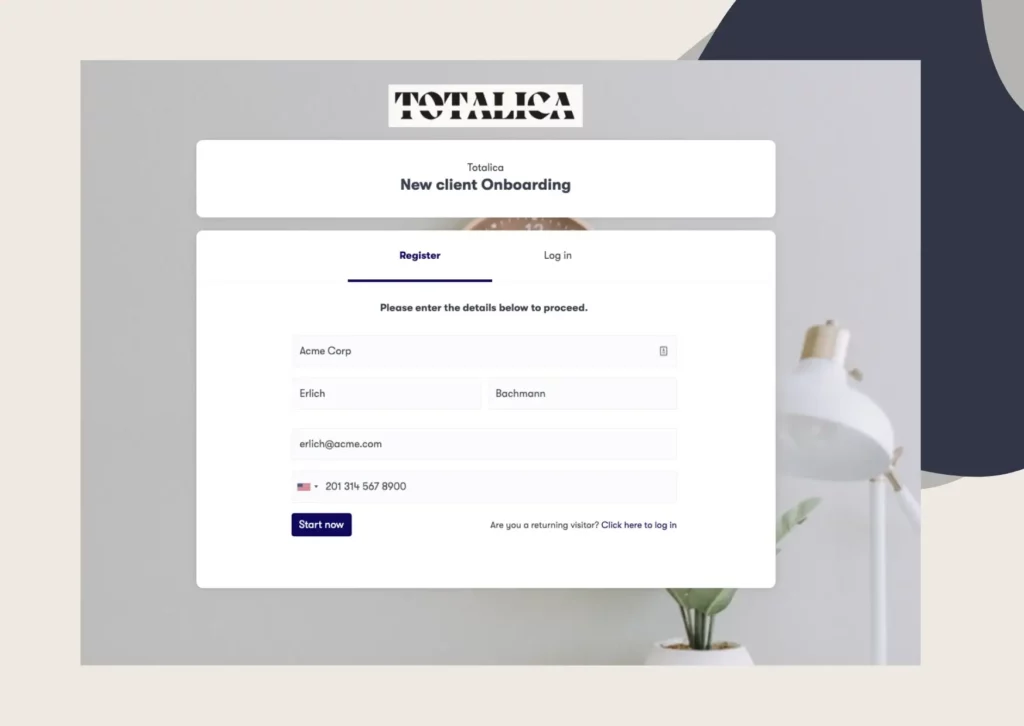
Client onboarding software helps you manage everything that needs to happen after a client signs up and before the work starts. You set up the steps once, such as filling in forms, uploading documents, signing agreements, or making a payment. Each new client then follows the same process.
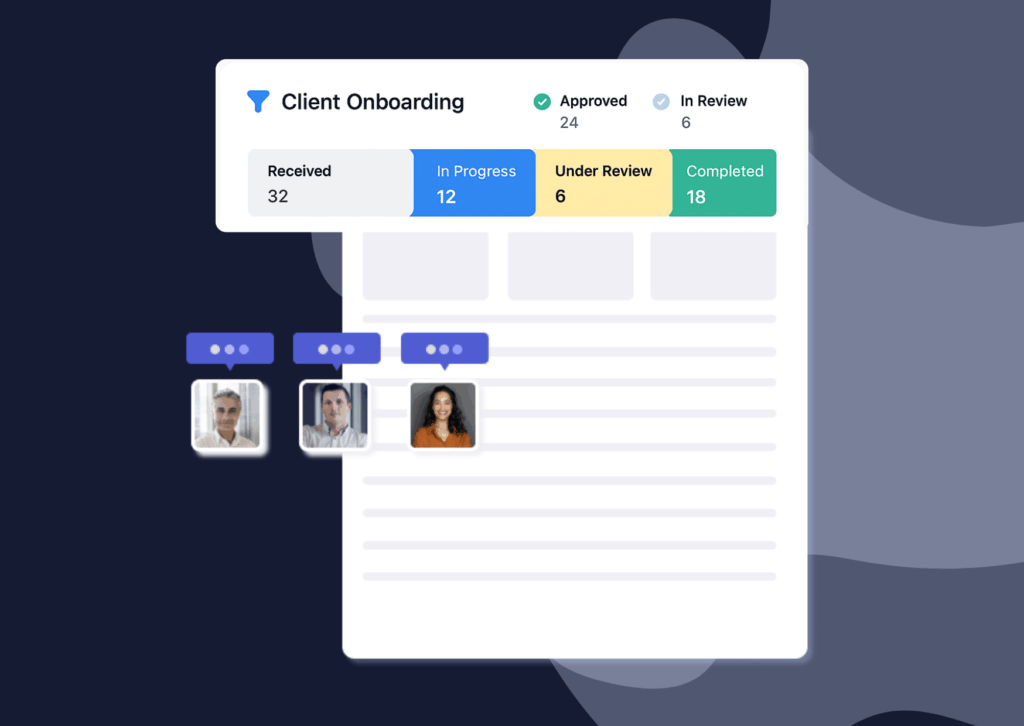
The client usually sees a simple portal with a checklist of what they need to do. Your team sees a dashboard that shows what is complete, what is missing, and what still needs to be checked. This makes it easier to keep every client moving without relying on long email threads.
Clustdoc is one example. We bring document collection, online forms, eSignatures, identity checks and client communication into one branded workspace, so nothing lives in a separate inbox. Our customers report cutting their onboarding time in half after moving off email.
One of the biggest problems with onboarding is that information ends up everywhere. The intake form may be in one system, the contract in another, and client files buried in email. Client onboarding software keeps those pieces together, so your team can quickly see what a client has completed and what is still missing.
It also cuts down on follow-ups. If a client forgets to upload a document or sign a form, the software can send an automatic reminder instead of someone on your team having to chase them.
Another problem is inconsistency. One account manager may ask for everything at once, while another sends requests over several days. A set onboarding process gives every client the same steps, which makes the experience easier to manage and improve.
Most tools in this category share the same building blocks. This is what each one does for you in practice.
Onboarding usually starts with questions: contact details, billing information, project scope, account preferences. A structured form replaces that back and forth, and the client fills it in once.
Better forms use conditional logic, so each client only sees the questions that apply to them. A sole trader skips the fields meant for companies, and nobody wastes time on irrelevant answers.
This is the core of the category for service businesses. You define the list of files each client type owes you, and the client uploads against that list.
The software tracks what has arrived, what is missing and what has expired. Your team can accept or reject each file with a note explaining what to fix, so a blurry ID photo comes back corrected instead of buried in a thread.
Most onboarding ends with something to sign: a contract, an engagement letter, a mandate. Built-in eSignatures let the client sign inside the same flow where they filled the forms, so they do not have to go searching for a separate signing tool.
Electronic signatures are legally recognized in many countries under frameworks such as the ESIGN Act in the United States and eIDAS in the European Union. The rules vary by country and by document type, so check what applies to yours.
Clients stall because your paperwork is not their priority, and that is normal. Onboarding software watches for incomplete steps and sends reminders on a schedule you set, by email or SMS. Your team sends far fewer manual chase messages, and clients get nudged at the right moment instead of whenever someone remembers.
Regulated businesses often need to verify who a client is before working with them. That is why onboarding software built for these sectors includes KYC and KYB checks as a core feature. These verify government IDs and business registration documents inside the onboarding flow itself.
KYC and AML obligations vary by country and sector. Treat the software as a way to run your checks consistently, not as a definition of what those checks must be.
On the team side, everything rolls up to a dashboard. You see each client’s status at a glance: invited, in progress, waiting on review, complete.
Approval workflows route finished submissions to the right person, so a manager signs off before an account goes live. When several people touch onboarding, this is the difference between a process and a pile of tasks.
The label covers two different kinds of product, and mixing them up leads to bad purchases.
Client onboarding software for SaaS companies is built for self-serve onboarding. The goal is product adoption: welcome flows, in-app checklists and nudges toward the first valuable action. The client mostly onboards themselves inside the product.
Document-heavy onboarding is the other branch. Client onboarding software for accountants, law firms, lenders and agencies exists to collect things: signed letters, ID documents, financial records, brand assets. Agency client onboarding software, for example, leans on kickoff questionnaires and file requests rather than in-app tours.
|
|
Self-Serve Onboarding |
Document-Heavy Onboarding |
|---|---|---|
|
Typical business |
SaaS and product companies |
Accountants, lawyers, lenders, agencies |
|
Main goal |
Get the user active in the product |
Collect files, data and signatures |
|
Core features |
In-app checklists, tours, email nudges |
Document requests, eSignatures, review and approval |
|
Client effort |
Low, mostly clicking through |
Higher, gathering and uploading real paperwork |
We sit on the document-heavy side. Our platform is built for teams that run the same document and signature process repeatedly across many clients.
Start from your process, not from a feature list. Write down every step a new client goes through today, then look for the tool that covers the most steps without extra workarounds.
A few questions narrow the field quickly:
Roundups of the best client onboarding software make a reasonable shortlist, but your answers above matter more than any ranking. If you are also weighing tools that manage the whole client relationship, our guide to the best client management software compares that broader category.
If your onboarding runs on documents and signatures, Book a demo call and see Clustdoc mapped to your own process.
No, a CRM tracks relationships and deals before and after the sale. Onboarding software runs the handoff in between, collecting the forms, files and signatures a new client owes you. Many teams connect the two, so a closed deal triggers the onboarding flow automatically.
It centers on document collection. Accounting firms gather engagement letters, prior returns, powers of attorney and source records from every new client. Tools built for this send structured request lists and chase missing files automatically, which matters most during busy season.
Most tools in this category are no-code, so a first working flow usually takes days rather than months. The bigger time cost is deciding what your process should be. Map your current steps first, then rebuild them in the tool.
Yes, and small teams often feel the benefit fastest because nobody has spare hours for chasing files. If you onboard the same type of client repeatedly, a defined flow quickly pays back the setup time. One person can then run onboarding for many clients at once.
Still stitching emails, files, and approvals together?
Clustdoc gives teams one place to run client-facing work, boost customer engagement and increase compliance.

Claire writes about customer onboarding, digital processes, and the day-to-day challenges faced by operations teams. At Clustdoc, she focuses on practical insights: how organizations collect information, guide customers through complex steps, and improve service delivery with automation.