
Client onboarding for accountants follows a fairly simple sequence, but each step matters. You collect the client’s details, confirm the scope of work, sign the engagement letter, complete identity and compliance checks, then request the documents you need to get started.
When that process is organised, a new client can move from enquiry to active work in days rather than weeks. When it is not, missing documents, unanswered emails and unclear responsibilities can quickly slow everything down.
This guide breaks the process into clear steps you can use for both individual and business clients, with a focus on making onboarding faster, more consistent and easier to manage.
Build this once and reuse it for every new client.
Start with a short form that captures the basics:
Use conditional questions so a sole trader never sees payroll fields. These answers decide which documents you request later.
Build a separate version for each service. A bookkeeping client and a personal tax client should never get the same form.
The engagement letter sets out scope, fees, and responsibilities on both sides. Draft it from the intake answers and send it for electronic signature the same day.
No documents, no advice, and no work until it comes back signed.
This is the step firms skip under deadline pressure. It is also the one that protects them most when a client later disputes what was agreed.
Keep one letter template per service and update it centrally. That stops a partner sending last year’s version.
In many countries, accountants fall under anti-money laundering rules. Those rules usually require you to verify a client’s identity before you act for them.
The obligations vary by country and by the services you provide. Confirm what applies to your firm before you write the checklist.
Build the checks into the onboarding sequence itself. Then nobody can skip them in a busy week, and you keep a record proving the check happened.
The moment the letter is signed, issue a single request list for that service. The client sees every item and its status in one place. That kills the “what else do you need from me” thread before it starts.
Say what a usable file looks like. Each request should name:
Add a short cover note above the list. Tell the client how long it takes and which items usually need digging, such as prior returns held by a previous accountant.
Schedule reminders at a set cadence, for example at three, seven, and fourteen days. Software does the chasing, and your staff step in only when a client is genuinely stuck.
Review each file as it arrives, while onboarding is still open. Check the year, check the entity, and check that the scan is readable.
Reject bad files straight away with a short note on what to fix. A missing page caught in week one is a small favor to ask. The same page found during preparation is a fire drill.
Close with a short kickoff. Confirm scope, deadlines, and who the client contacts with questions.
Then keep the completed file as the template for that client’s year-end collection. Store the checklist, the reminder schedule, and the signed letter together. Next January you clone the process instead of rebuilding it.
Give every new client one named owner inside the firm. A stalled file should always be somebody’s problem rather than nobody’s.
The exact list depends on your country, your services, and the client’s situation. Treat this as a working baseline, not as tax or legal advice.
Write each list once, centrally, so every partner asks for the same items in the same order.
Clients will type bank details into a reply email if you let them. Give them a secure field instead, and say plainly that your firm never accepts banking information by email.
Keep one list per service. Much of the chaos in onboarding comes from team members improvising their own document lists client by client.
Email is the weakest point in the whole process. Attachments get forwarded, sent to the wrong address, and parked in personal inboxes with no access control.
A safer setup has four non-negotiables:
Seasonal staff join for the busy months and leave again. Their access should end the day they do. That is hard to enforce when files sit in personal inboxes, and simple when they sit in one workspace.
Privacy rules such as GDPR govern how you store and process personal data. They vary by country, so confirm your local obligations. Our guide to client portal software for accountants compares the features worth checking.
You can run this with a form builder, a signature tool, a file share, and a spreadsheet. The cost is that your process now lives in four places.
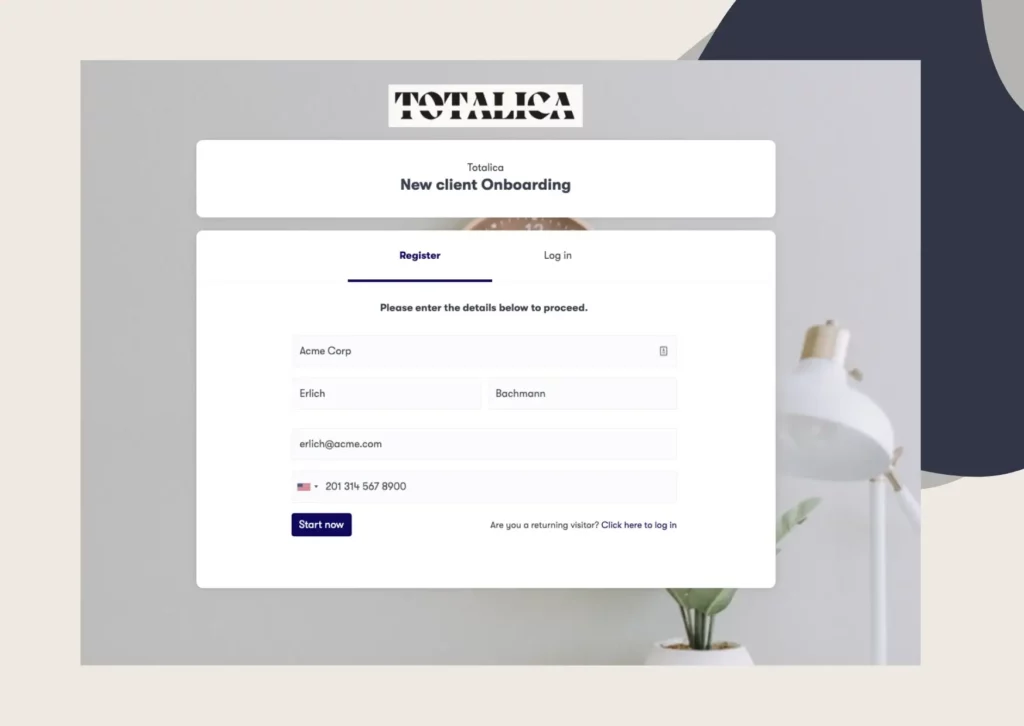
Purpose-built accounting client onboarding software keeps it in one. Clustdoc gives each client a branded portal listing exactly what they owe you, with conditional rules that hide anything irrelevant.
Inside our platform, the pieces map onto the steps above:
Ready-made templates cover year-end document collection, engagement letters, and powers of attorney. You are not building the flow from a blank page.
Clustdoc is SOC 2 Type II certified and GDPR compliant, stores data encrypted at rest, and logs every action in a full audit trail. Customers report cutting onboarding time in half.
Book a demo call to see an accounting onboarding flow running on your own checklist.
Track one number: days from signed engagement letter to complete file. With one checklist and automated reminders, that should be days rather than weeks. If you have never measured it, the first result will probably surprise you.
For individuals, collect photo ID and a tax identification number. Add prior-year returns and income records for the years in scope. Business clients also need formation documents, ownership details, and year-end financial statements.
You should not. Email attachments can be forwarded and stored with no access control and no record of who opened them. Use a secure form field instead.
In many countries, yes. Accountants often fall under anti-money laundering rules that require client due diligence before you act. Requirements vary by country and by service, so confirm your local rules.
Standardize the process. One intake form, one engagement letter template, and one checklist per service remove most of the manual work. Automated reminders then handle the chasing.
Still stitching emails, files, and approvals together?
Clustdoc gives teams one place to run client-facing work, boost customer engagement and increase compliance.

Claire writes about customer onboarding, digital processes, and the day-to-day challenges faced by operations teams. At Clustdoc, she focuses on practical insights: how organizations collect information, guide customers through complex steps, and improve service delivery with automation.