
Customer onboarding vs client onboarding comes down to volume and paperwork. Customer onboarding guides many self-serve users into a product, mostly without human help.
Client onboarding sets up a smaller number of high-touch clients, usually with forms, documents and signatures. The terms overlap, which is why so many teams use them interchangeably.
The split shows up across six dimensions.
| Dimension | Customer onboarding | Client onboarding |
|---|---|---|
| Typical volume | Hundreds or thousands of users | A few to a few dozen new clients at a time |
| Who does the work | The product itself | Your team, together with the client |
| Core material | In-app actions and settings | Forms, documents and signatures |
| Human involvement | Little to none | A named owner on every case |
| Success metric | Activation rate | A complete, approved client file |
| Cost of failure | Silent churn | A stalled engagement and compliance exposure |
Customer onboarding is the process a product runs to turn a new user into an active one. Someone starts a subscription on their own, and the product walks them through setup.
Most of the guiding is done by:
Nobody on your team touches the account. Success is activation: the user reached the point where the product became useful to them.
Client onboarding is the process a business runs to open a new client relationship. Think of an accounting firm taking on a new business client, or a broker opening a mortgage file. A named person owns each case from start to finish.
Success is completeness. The file is ready, so the real work can begin.
In customer onboarding, the product does the work. Design, copy and automation carry the user forward. Your team only steps in when something breaks.
In client onboarding, a person owns the case. They request the missing bank statement, review the ID, and send the reminder when a client goes quiet. That ownership is why client onboarding needs status tracking rather than funnel percentages.
Customer onboarding rarely asks anyone to upload a file. Client onboarding is built on uploads.
A typical client file includes:
That single difference changes the tooling. Document collection needs different software than a welcome screen.
Customer onboarding is measured across a population. Activation rate, time to first value and retention curves tell you whether the product is teaching itself.
Client onboarding is measured file by file. How many days from signed proposal to complete file? How many items are still outstanding, and how many files are stuck waiting on one document?
In many client businesses, onboarding is where the regulatory obligations sit. Firms in finance, lending and legal services run identity and background checks before they can act.
Requirements vary by country, regulator and lender, so treat your own rules as the reference. The pattern is constant: verify who the client is, record how you verified it, and keep the proof.
Electronic signatures follow the same logic. A regulated file needs a clear record of who signed what and when. Customer onboarding almost never carries this weight.
Customer onboarding is measured in minutes and days. The user either reaches the useful part of the product early or drifts away.
Client onboarding is measured in days and weeks. Most of that time is spent waiting: for a document, for a signature, for a reply to a third reminder.
Both processes lose people at the same points. Users abandon products they never figured out. Clients stall on file requests they found confusing.
Both are repeatable, so both benefit from a written onboarding process instead of one person’s habits.
Industry labels mislead here, so look at the work rather than the job titles.
Run the question against concrete cases instead of job titles:
Plenty of companies run both. A software firm can guide self-serve users through the product and still run a full intake process for enterprise accounts, with contracts and security reviews.
Keep them separate if that is your situation. The self-serve flow belongs in the product, and the enterprise flow belongs in a workflow that collects and approves documents.
Most teams asking this question land on the client side. If that is you, our guide to what client onboarding is walks through every stage, from first contact to an approved file.
Get the diagnosis right and the software question mostly answers itself.
Customer onboarding tools live inside your product. The main categories are:
Each one guides large numbers of users toward activation. They are good at that job and poor at paperwork. None of them were designed to request a document, review it and log an approval.
Client onboarding tools sit between your team and your client, so the shopping list looks different:
Clustdoc was built for this side of the line.
Generic form builders and file-sharing links can imitate parts of client onboarding. They leave your team to stitch the process together by hand, and that is where files go missing.
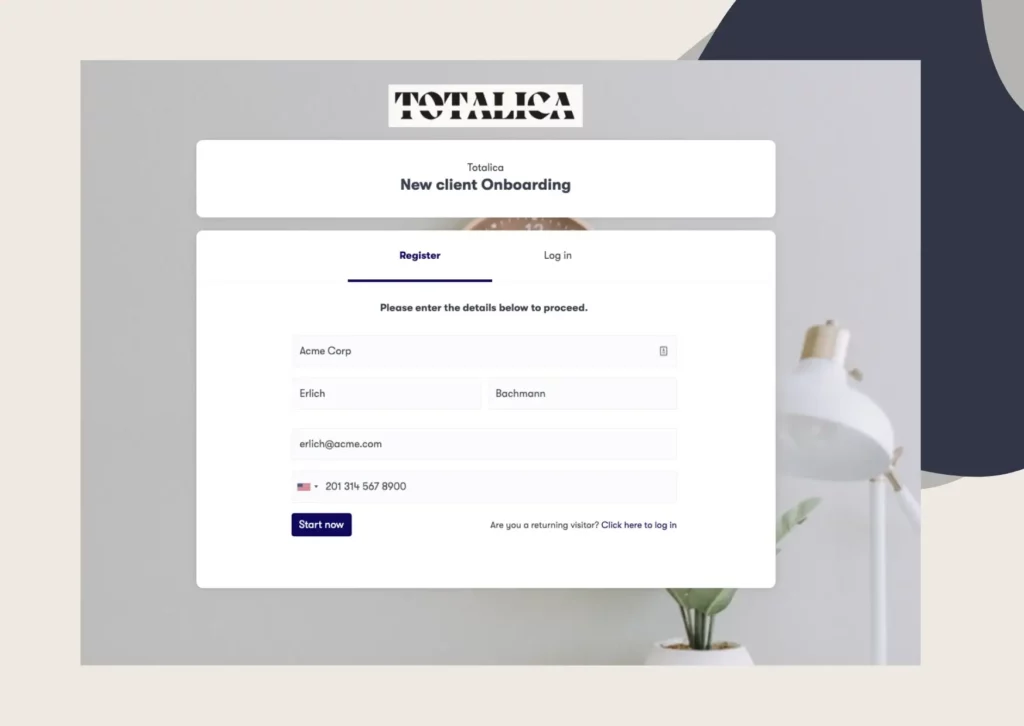
We bring intake forms, document requests, eSignatures, KYC and KYB identity verification and client communication into one branded workspace. Automated reminders do the chasing, and data handling is built for GDPR compliance. Your team tracks every file from one dashboard instead of a shared mailbox.
If your onboarding comes with paperwork attached, Book a demo call and walk through your own intake process with the Clustdoc team.
No, although the two terms are often used interchangeably. Customer onboarding usually means self-serve product adoption at volume. Client onboarding usually means a document-heavy intake process that your team runs.
Use the term your buyers use. Professional services, finance, legal and real estate firms tend to say client, while product companies tend to say customer.
The label matters less than the process behind it.
Yes, and many do. Keep them separate rather than blending them into one flow.
Self-serve users belong in a product-led flow. High-touch accounts belong in a documented intake workflow with owners and deadlines.
It depends on how many documents you need and how quickly clients respond. Chasing by email is usually the slowest part of the process.
Clustdoc customers report reducing onboarding time by up to 50% after replacing that chasing with one branded checklist.
If your onboarding involves documents, signatures or identity checks, yes. Product onboarding tools cannot request, review or approve files.
A client onboarding platform handles the collection, the review and the record in one place.
Still stitching emails, files, and approvals together?
Clustdoc gives teams one place to run client-facing work, boost customer engagement and increase compliance.

Claire writes about customer onboarding, digital processes, and the day-to-day challenges faced by operations teams. At Clustdoc, she focuses on practical insights: how organizations collect information, guide customers through complex steps, and improve service delivery with automation.