
Admissions can become messy long before anyone makes a final decision. One applicant forgets a transcript, another sends the wrong file, and a third emails to ask if their documents arrived.
Multiply that by hundreds of applications and staff can spend more time chasing paperwork than reviewing candidates. A clear student admissions process gives every applicant the same path and gives your team one place to see what is complete, what is missing, and what needs attention next.
Student admissions onboarding means collecting applications, transcripts, IDs, and signatures from many applicants without losing track. A guided checklist and reminders keep files complete. Clustdoc automates admissions document collection in one portal.
The fix is rarely more staff. It is a tighter sequence, applied the same way to every applicant. These six steps take an intake from scattered attachments to complete, reviewable files.
Most delays start at this step. When applicants learn about a required document late, the whole file stalls while they track it down.
Publish the full list before applications open. A typical intake asks for:
Requirements vary by program, country, and study level, so keep separate lists for domestic and international applicants. Give each document a plain name and one example of an accepted file. Applicants abandon far less when they never wonder whether a phone photo of a diploma counts.
A list on a webpage helps, but a shared checklist does more. Each item should state the accepted format, the deadline, and who provides it, since some documents come from previous schools rather than the applicant.
Both sides should see the same checklist. When the applicant and your team look at identical status, nobody guesses what is still missing, and files stop arriving as ten attachments with unclear names.
You do not need to build this from a blank page. The student admissions template in Clustdoc already includes steps for applications, supporting documents, tuition payments, and admissions decisions.
Splitting the process across tools creates most of the chaos. The form lives in one system, uploads arrive by email, and questions land in one officer’s personal inbox.
Bring these together instead. When the online admission form, the document uploads, and the messages sit in one portal, applicants finish everything in one place, from any device. Fewer tools also means fewer logins, and every extra login is a point where a busy applicant quietly gives up.
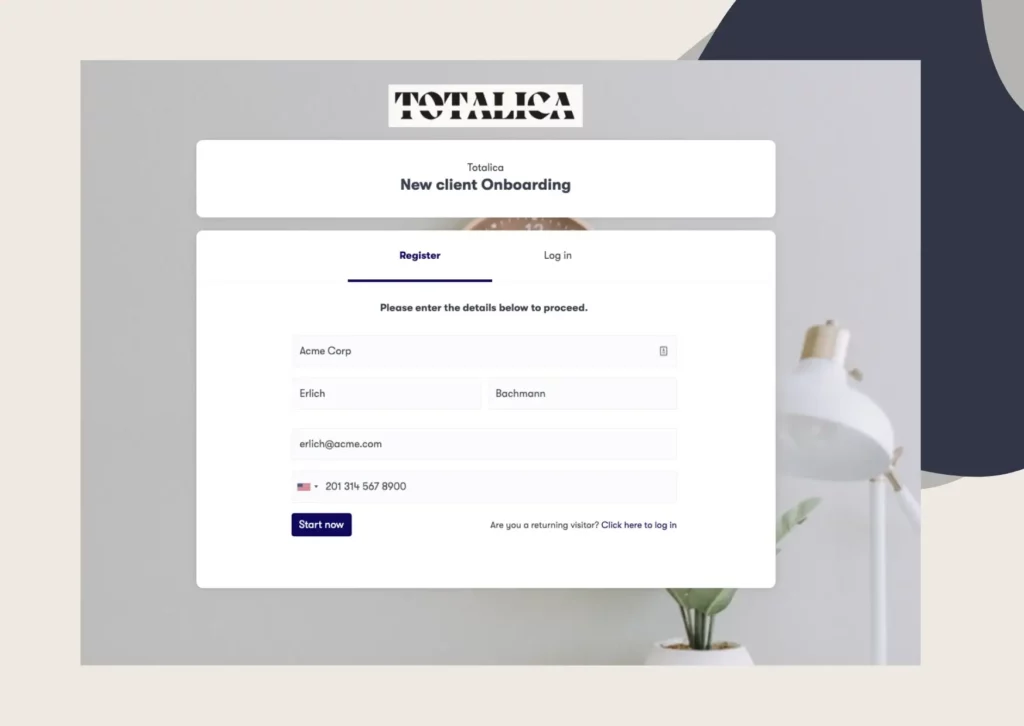
We build that portal under your school’s own branding, so applicants see your logo and colors throughout. Conditional logic shows each applicant only the steps that apply to their program, which keeps international requirements away from domestic students.
Even with a clear checklist, some applicants stall. One missing transcript can hold a file open for weeks while your staff send follow-ups by hand.
Automated reminders handle this work better. Schedule email or SMS nudges that trigger when an item stays outstanding, so the system does the chasing and your team sends far fewer manual messages. Timing matters as much as volume, because a reminder three days before a deadline saves a file, while five identical reminders teach applicants to ignore all of them.
Pair reminders with review controls. When a document arrives blurry, expired, or incomplete, reject it with a short reason, and the applicant knows exactly what to fix on the next upload.
A complete file should move without being forwarded around by email. Set up an admissions workflow where every application travels from received, to reviewed, to decided, with a named owner at each stage.
Multi-step approvals keep this orderly. An admissions officer confirms the file is complete, an academic reviewer scores it, and a final approver issues the decision.
The last mile belongs in the same flow. Send the enrollment agreement for electronic signature and collect the tuition deposit before the file closes, so accepted students never leave the portal to finish.
The student enrollment process starts the moment an applicant accepts an offer. When admissions data sits in clean, complete files, enrollment staff never re-request documents the school already holds. Agree internally on what a complete file means, and make the final approver responsible for confirming it before the handoff.
That continuity protects your numbers too. Applicants who move through a smooth admissions experience are less likely to abandon between offer and enrollment, because nothing forces them to start over.
Collection is only half of the growth picture. For the recruiting side, read our guide on how to increase student enrollment, which covers the channels that fill the top of the funnel.
You can run the six steps above with spreadsheets and shared drives, up to a point. Past a few hundred applications per intake, tracking becomes a full-time job, and most schools move to a dedicated admission management system.
Good admissions management software covers the whole sequence, not just the form. Look for shared checklists, document collection with review controls, automated reminders, approval workflows, electronic signatures, and payment collection in one place. A tool that handles only one of these pieces leaves the rest of the chaos untouched, so weight your shortlist toward the steps that hurt most today.
For enrollment management teams, reporting matters as much as collection. You should see the live status of every application and filter the intake by stage or assignee, without exporting anything.
We combine these pieces in a single platform, and our customers report cutting onboarding time by up to 50 percent.
None of this requires a rebuild before the next deadline. Start with the document list and the shared checklist, then switch on reminders, and add review workflows as your volume grows. Each step removes one source of chaos, so the order matters less than starting.
If your team spends more time chasing files than reading them, book a demo call and see how Clustdoc runs a full admissions cycle.
Admissions management software runs the applicant journey in one system. It collects application forms and documents, sends reminders for missing items, routes files through review, and records final decisions.
The difference from manual methods is visibility. Staff see the live status of every file instead of reconstructing it from inboxes and shared folders.
A form builder captures answers at a single moment. School admissions software manages everything that happens after the form, including document uploads, corrections, reviews, signatures, and payments.
Schools usually outgrow standalone forms once staff start tracking submissions in a spreadsheet. At that point the tracking, not the form, is the real workload.
Most programs request a completed application form, academic transcripts, an ID or passport copy, and a personal statement. Many add recommendation letters, language test results, and proof of the application fee payment.
Exact requirements differ by country, institution, and program level. Publish one definitive list before the intake opens and keep it identical across every channel your school uses.
Three changes make the biggest difference. Shorten the first form, show applicants a checklist of what remains, and send automatic reminders when items go missing.
Drop-off concentrates at friction points, such as a second login or an unclear document request. Removing those points costs far less than recruiting new applicants to replace the ones who left.
It should be, and this is worth checking before you commit. A serious platform encrypts data in transit and at rest, restricts access by role, and keeps an audit trail of every action.
Data protection frameworks such as GDPR apply to student records, and requirements vary by country. Ask any vendor where applicant data is stored before an intake begins.
Still stitching emails, files, and approvals together?
Clustdoc gives teams one place to run client-facing work, boost customer engagement and increase compliance.

Claire writes about customer onboarding, digital processes, and the day-to-day challenges faced by operations teams. At Clustdoc, she focuses on practical insights: how organizations collect information, guide customers through complex steps, and improve service delivery with automation.