A client emails your firm for the third time to ask if there is any update on their file. The work is on schedule, but nobody has told them that. Good client communication answers that question before the client needs to ask it.
That means the client knows what happens next, what you still need and when they will hear from you. Keeping that up is harder when several people on your team deal with the same client.
Clients lose track at the same few points, from the week they sign to the day your delivery team takes over. When nobody owns the message at those points, clients start chasing your team for answers.
Client communication includes every interaction between your firm and a client, such as emails, calls, meetings and portal messages. Common client communication examples include welcome emails, document requests, progress updates and deadline reminders.
Good communication means clients get clear, consistent answers, no matter who they speak to on your team. They should also be able to find previous messages and requests easily.
Simple language matters. Instead of writing “status: pending,” tell the client exactly what you need, such as “We still need your signed engagement letter.”
An effective client communication strategy comes down to four things:
These client communication best practices help you keep clients informed, manage their expectations and avoid delays at every stage of the relationship.
Right after signing, a client wants to know what happens next and who to talk to. Without a plan, each person on your team decides how to communicate with clients on their own. The client then hears from several people in several ways, with no single point of contact.
Send a short client communication plan with your welcome message on the day the client signs. It should cover:
Ask the client how they prefer to be contacted and add their answer to the plan. Agreeing on this early sets clear client expectations before the work starts.
Clients get confused when several people on your team ask for files in separate emails. They send the same bank statement twice or miss a request in a long thread. Some even send a passport scan as an ordinary email attachment.
Send one document request email instead, and name each file or detail you need. For example, an accountant may ask for the latest tax return, while a bank asks for the company’s registration number.
For each item, say why you need it, which format works and by when. Check first what the client has already sent, so nobody asks for the same document twice.
Then tell the client where to upload the files, such as a secure upload link or a client portal. Also say when someone on your team will review them.
Clients send “any update?” emails when they have heard nothing for a while, even if the work is moving. Keep to the update rhythm you agreed in the plan, such as every Friday, even when nothing has changed.
Each client update should say what is done, what you are waiting for and when the next update will come. A short one can read like this:
Hi [first name], your [service] is on track. We have finished [completed step] and are waiting for [missing item] from [who]. You will hear from us again on [date], or sooner if anything changes.
Between updates, clients can check progress in a client portal that shows what is complete and what is missing. If something is delayed, tell the client as soon as you know, with the reason and the new date.
When you reject a client’s document, explain exactly what’s wrong and how they can fix it. Otherwise, they may make the same mistake again.
For example, instead of saying “Document rejected,” write “Your bank statement is too blurry to read. Please upload the original PDF.”
If several documents need changes, list all corrections in one message. Tell the client which ones are urgent so they know what to fix first.
If clients keep making the same mistake, make your original document request clearer to prevent the problem in the future.
A request marked “as soon as possible” gives the client no date to plan around. They put it behind work that has a real deadline.
Give a calendar date for each item, and say what happens if the client misses it. For example, a tax return may be filed late, or the project start date may move.
Plan your follow-up emails before the deadline and send the first one a few days ahead. Name the missing item in each one, and stop as soon as the client sends it.
If the date is close and nothing has arrived, ask the client’s main contact to call them.
At the handover, the delivery team may ask clients questions they already answered during onboarding. To avoid that, give the team a short written brief before their first call:
The same brief works for the earlier handover from sales to onboarding, the first step of a client onboarding process.
Before the delivery team takes over communication with clients, ask them to read the full history of messages and files. Then introduce the new contact by name, in a message from the person the client already knows. Say what changes for the client, such as who to call, and what stays the same.
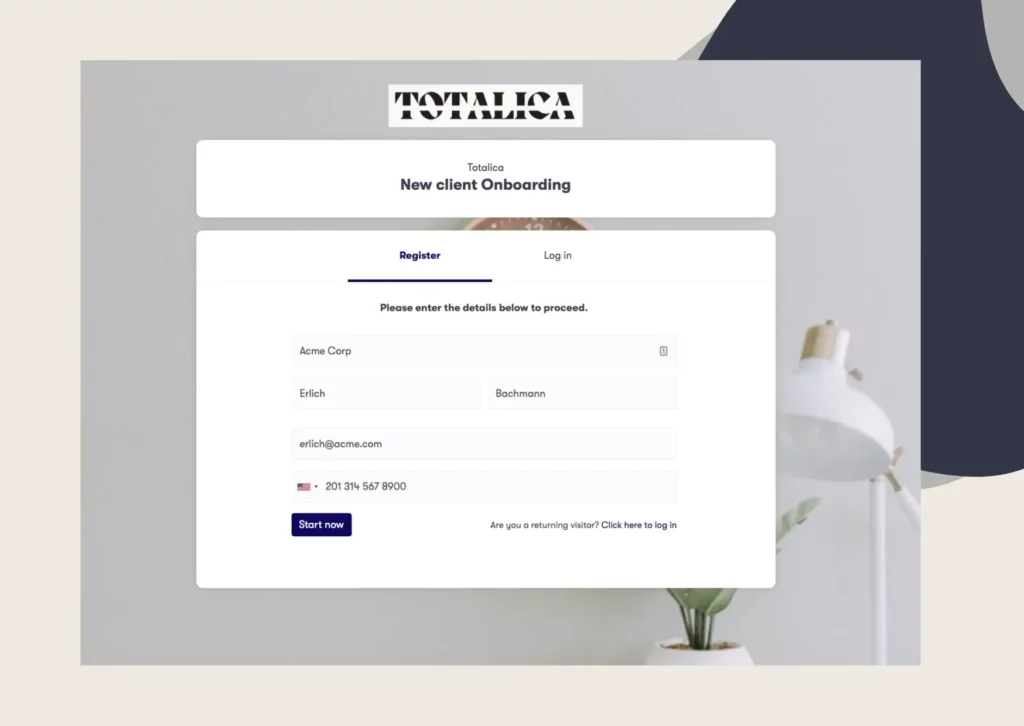
In Clustdoc, each client gets one secure, branded portal for their forms, documents and messages. Your team reviews everything the client sends in the same workflow, without rebuilding the file from emails.
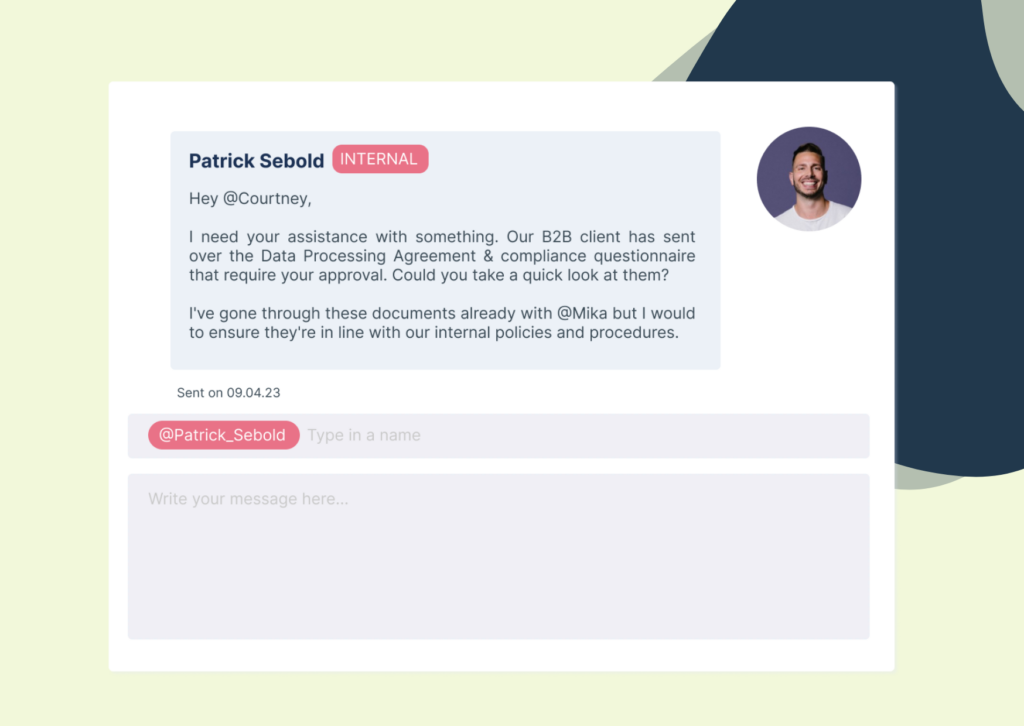
Clients message your team from the portal, and we keep each conversation in a shared inbox, tied to that client’s file. Anyone with a Clustdoc seat and the right permissions can reply there. They can also add internal notes, kept apart from the client conversation.
Every message is encrypted, time-stamped and linked to the right step of the client’s file. At the handover, the delivery team can read every past message, file and note before they contact the client.
Your team can send a new client all their onboarding steps with one click. On their checklist, the client sees each file you need by name, such as an ID or a signed contract. The client can also see which items are done and which are still open.
You can send each upload to the team member assigned to review it. They accept or reject the file with a comment. When a reviewer rejects a file, the client sees it on their checklist again and replaces it there.
On forms, your team can comment on a single field, and the client corrects the answer in the same flow. We record every change.
Our automatic reminders can chase a missing file, an upcoming deadline or a pending approval. Your team sets the timing once, and the client receives each reminder as an email, a text message or both. The message goes out under your brand name and can include the client’s name, deadline or case reference.
If a step is still open after the reminders, we alert your team so someone can call the client. Your team also sees every overdue action highlighted on its dashboard.
Once your team completes an internal review, we can start the client’s next step automatically. We can also notify the client when a milestone is complete.
Book a demo call and bring the client update you send most often. We will look at when it goes out today. Then we will show how Clustdoc could send it at the right step, filled in for each client.
Client communication means every exchange between a business and its clients, by email, phone, meetings or portal messages. Good client communication tells clients what happens next, what the firm needs and when they will hear back.
Agree on a communication plan in the first week, and ask for documents in one clear request. Update clients before they ask, explain every correction and give each deadline a date and a reason. Before the handover, brief the delivery team so the client does not have to repeat anything.
In Clustdoc, your whole team sees each client’s requests, reminders and messages in one place.
Customer communication means the messages a business exchanges with the people who buy from it, before and after a sale. Client communication is the same idea in professional services such as accounting, law and financial advice. In those services, one client relationship can last for years and cover many projects.
In client work, five basic communication skills are listening, speaking clearly, writing clearly, asking precise questions and following up. They show up in small habits, such as confirming what you heard and replying when you promised.
Still stitching emails, files, and approvals together?
Clustdoc gives teams one place to run client-facing work, boost customer engagement and increase compliance.

Claire writes about customer onboarding, digital processes, and the day-to-day challenges faced by operations teams. At Clustdoc, she focuses on practical insights: how organizations collect information, guide customers through complex steps, and improve service delivery with automation.
This material is for informational purposes only. Nothing in it constitutes legal, financial, or other professional advice or carries any assurance of legal validity in any jurisdiction. Clustdoc shall not be liable for the material or for any action taken on the basis of it.