You know how gym memberships work.
You sign up with the best intentions, you go a few times, then life just gets busy.
The gym sends you nice client follow up emails. “We miss you!” “Come back!” “Here’s a special offer!” You ignore them all because none of them is addressing the real reason you stopped going.
Maybe you don’t have time. Maybe you’re intimidated by the equipment. Maybe you injured yourself. The gym doesn’t know, so they keep sending the same cheerful messages into the void.
With client follow ups, it’s exactly the same way.
Timing doesn’t matter if they’re not addressing real obstacles.
In this guide, I’ll show you how to build a follow up email automation engine that responds to what’s actually blocking progress in your workflows. Let’s jump right into it.
Email creates conversations, not momentum.
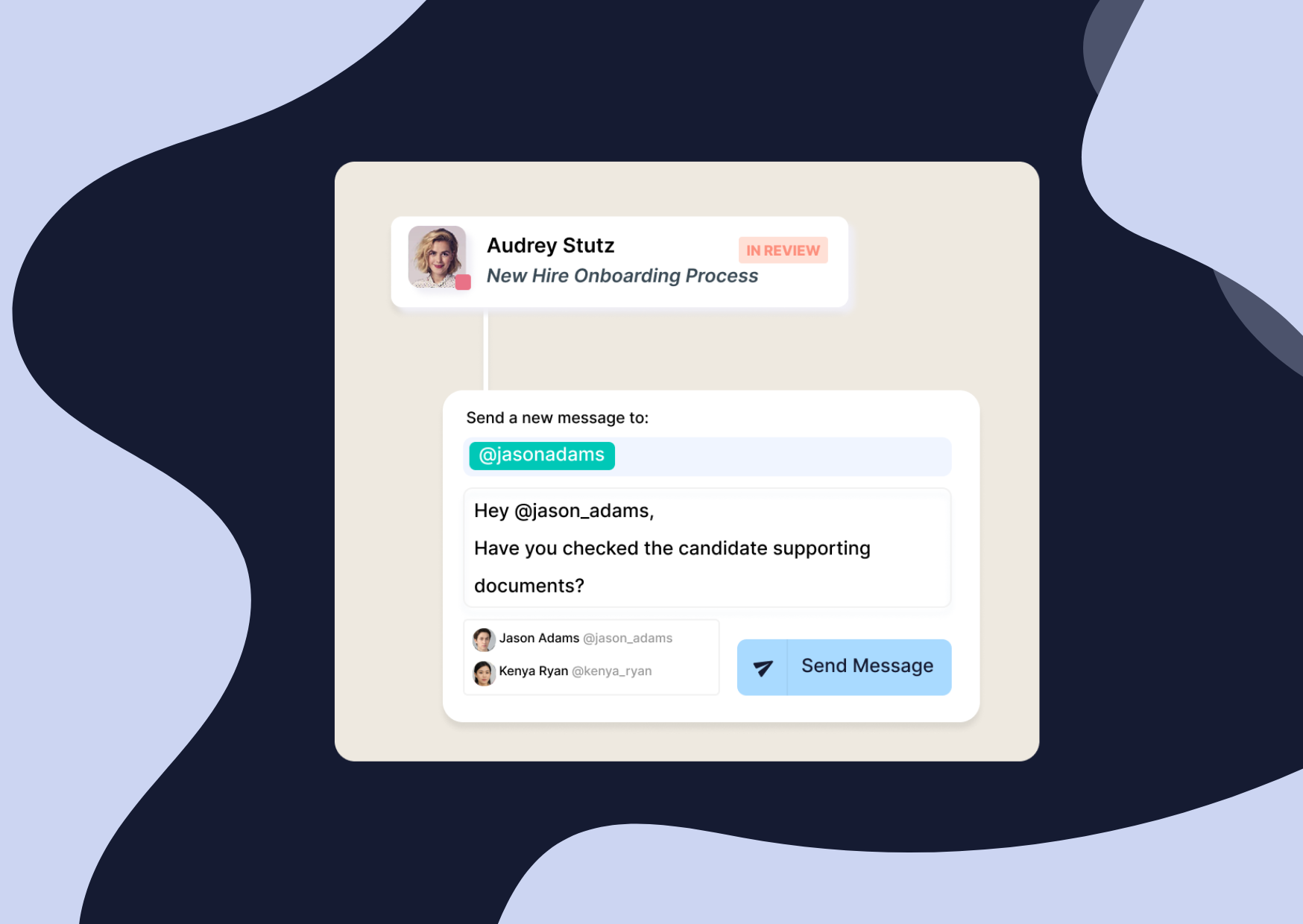
On paper, follow up emails feel simple, and if you’ve ever tried to explain the process to a new hire, it probably sounds simple too.
You send an initial sales email, wait a few days, send the perfect follow up email, maybe reference the previous email, and move on.
But in reality, most conversations don’t move in straight lines cause most clients reply out of order.
Sometimes, someone would forward the same thread internally or send one document without context, when another document would simply never show up.
Meanwhile, your team is managing dozens of similar conversations, each at a different stage of the sales process or customer onboarding flow.
In such situations, the first thing that breaks within your sales process is visibility:
No one in the team can easily answer basic questions like “who you’re waiting on”, “why a file is blocked”, or “how long it’s been stuck”.
With follow up emails, another thing that consistently breaks is consistency due to manual work.
Some sales professionals are great at maintaining contact.
Others miss a follow up because their busy schedule got in the way.
And all of this creates friction between teams that depend on each other’s follow ups to move forward.
When a team gets to that point, follow ups stop being a tool that supports the process and become the whole process since there is no real system behind besides a human-powered routine.
Hopefully there are easy ways to fix this, let’s discover them.
When people talk about follow up email automation, they often mean scheduled messages.
So if that’s what you’re using today, you’re not alone.
Usually, a standard client follow up email automation looks like this:
• First email: Sent out to request key information or documents for example
• Second email: a gentle reminder sent 3 days after the initial email
• Third email: 1 week after the last follow up email
This can also be mixed with phone calls to diversify touch points.
Those setups work in narrow cases, but as soon as the process involves multiple steps, multiple teams, or multiple things you’re waiting on from potential customers, they fall apart.
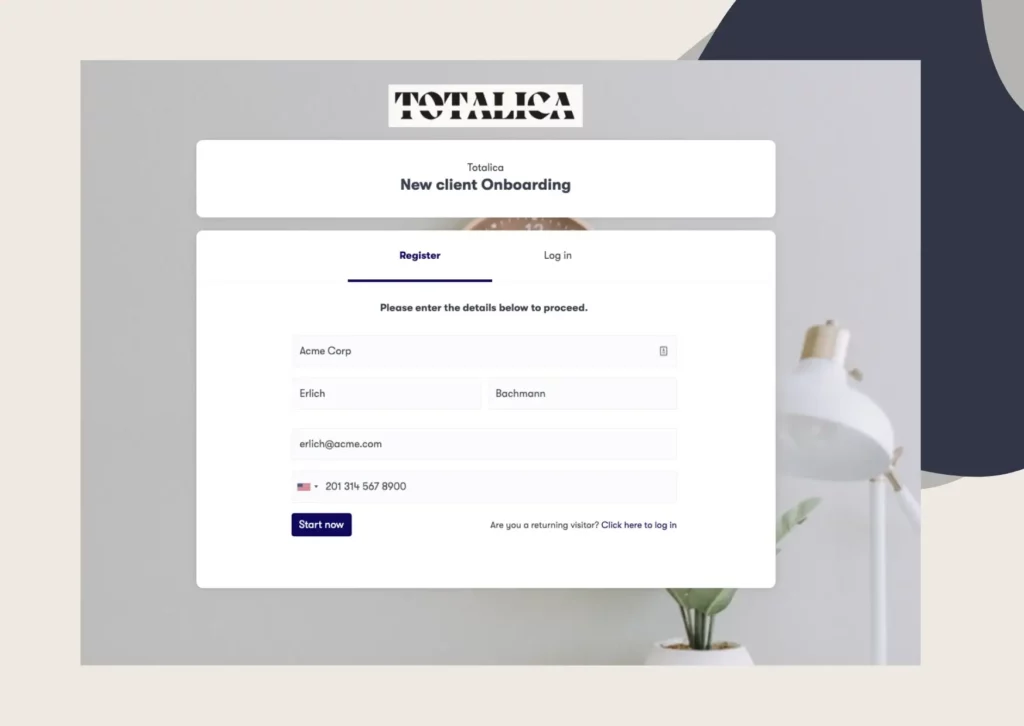
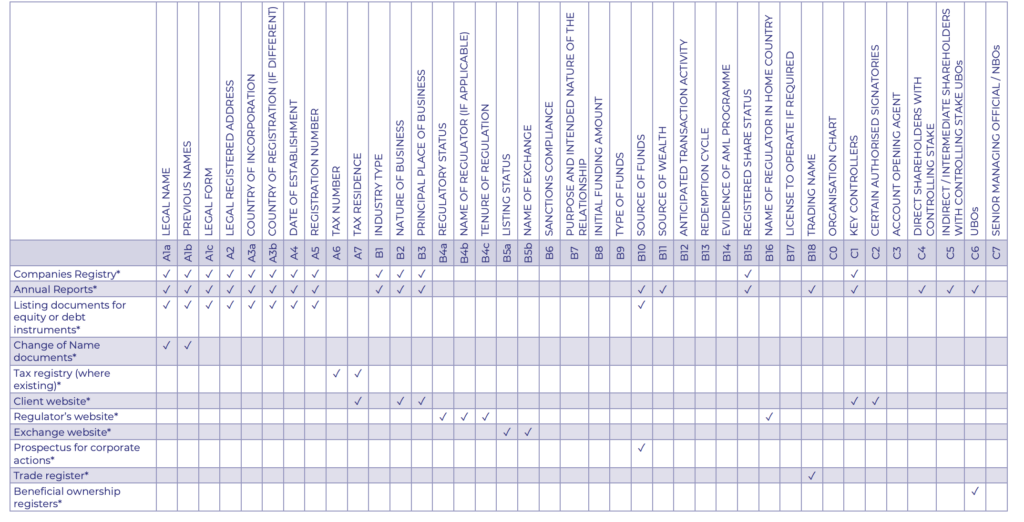
For example a client onboarding process or Customer due diligence in Financial services such as the one below, it would be impossible to manually follow up.
In more complex scenarios, the best way to build a client follow up email automation engine is to move away from time-based actions and focus more on what needs to happen next.
Instead of asking whether enough time has passed, a great system would reacts to trigger events.
For example, you’d want to send a follow up email when a form is left incomplete, an essentiel document is still missing or an approval that didn’t happen yet is blocking progress.
In Clustdoc automation engine, they are 3 main elements combined.
Trigger events tied to real process steps.
Condition rules that define when a follow up should or shouldn’t be sent.
Actions that reference the right context for execution, whether it’s an internal of external follow up email that needs to be sent.
This architecture makes the process of sending out follow ups centralized, predictable and owned, instead of dependent on individual memory.
If automation has ever felt clumsy or awkward for your team, this can potentially be the reason why.
Before thinking about follow up email templates or subject line examples, you need clarity on what you’re actually following up on in day to day reality.
There’s a big difference between a follow up after an initial meeting and a follow up because a required document hasn’t been uploaded.
While one is about continued interest, the other is about unblocking a process.
The tone, the call to action, and the ownership wouldn’t be the same.
The exact same principle applies to situations like a request for more detail after an in depth conversation, a detailed proposal sent without feedback, a follow up meeting that never got scheduled, or a stalled payment.
When teams treat all of these as generic follow ups, they need to compensate by writing longer emails that try to cover every scenario at once.
That’s how messages become vague, overloaded, and easy to ignore.
Mapping scenarios forces a useful conversation.
For example, for each process or use case, you may want to clarify : what exactly is blocked? Who owns the next step? what would make sense for the potential client to do next?
Once those questions are answered, automation becomes much easier to design and you’ll be well equipped to build a dedicated process automation for each of your main client use cases.
This one is an easy trap and is widely common, but one mistake I see over and over again is “over automation”.
When every small step triggers a message, most clients stop responding.
Rightfully so, if someone was sending you marketing emails every day, you’d stop opening them.
This is due to email fatigue.
And the same thing happens with sales follow up emails that fire too often.
Another mistake we often see at Clustdoc is treating all follow ups the same.
A gentle reminder after an initial conversation isn’t the same as a follow up tied to an overdue payment or a blocking step of the client process.
So, by mixing those scenarios, you can erode trust.
Another common mistake is around the tone of follow up emails.
It should genuinely match the situation.
If you’re following up on a networking event where someone expressed interest in your product or service, that’s different from politely following up on a contract that’s blocking the next phase of your work.
And here is the last mistake seen also quite often.
Ownership. But let me explain.
Automation can send emails, but someone still needs to care about the outcome.
If your sales team is relying on automated follow ups but no one is checking whether the prospect’s interest to move forward is real or whether they’re just turning into cold leads, all your efforts will be vain.
Finally, it’s also important to keep in mind that automation magnifies unclear processes.
If trigger events are fuzzy, automation spreads confusion faster.
Fewer, well-defined scenarios usually outperform broad automation, so before you automate, make sure you can clearly explain what each trigger event means and what outcome you’re trying to drive.
Otherwise, you’re just sending more emails without more value.
Once follow ups are automated and the above common mistakes are out of your way, it’s tempting to focus on open rates and clicks.
What matters more is whether follow ups unblock work, and this is what more marketing systems or even CRMs will focus on.
Did the document arrive?
Did the meeting happen?
Did the sales cycle shorten?
Those are the key points that tell you whether your automation is actually working.
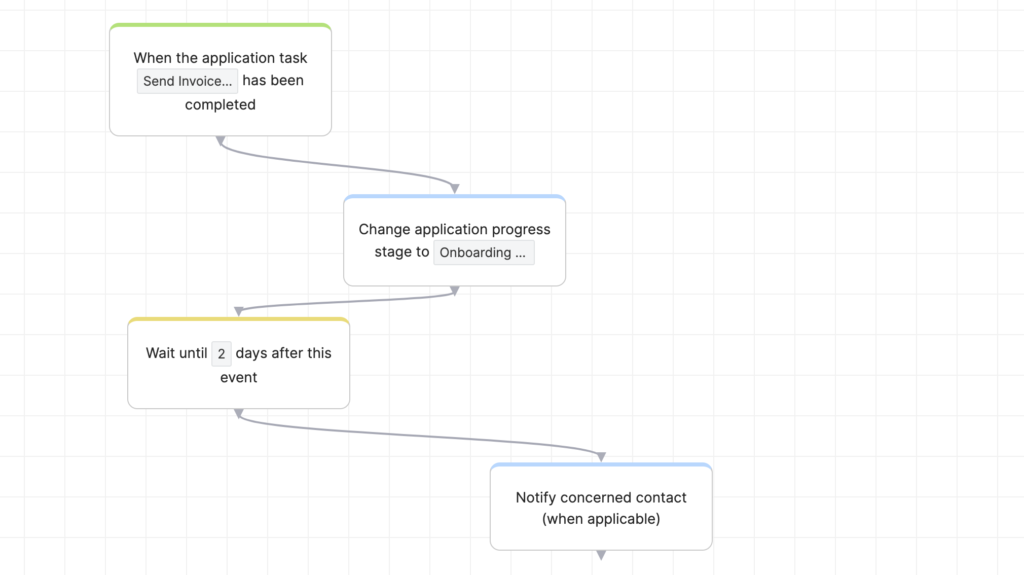
You can create follow ups like the ones above using Clustdoc. These follow up emails will systematically be tied to a client onboarding steps from your already mapped out process.
When follow ups are tied to process steps instead, your teams can then finally see where delays cluster and where manual intervention is still needed.
Sales, Ops, and Compliance look at the same data and talk about the same blockers. This shared visibility changes the conversation.
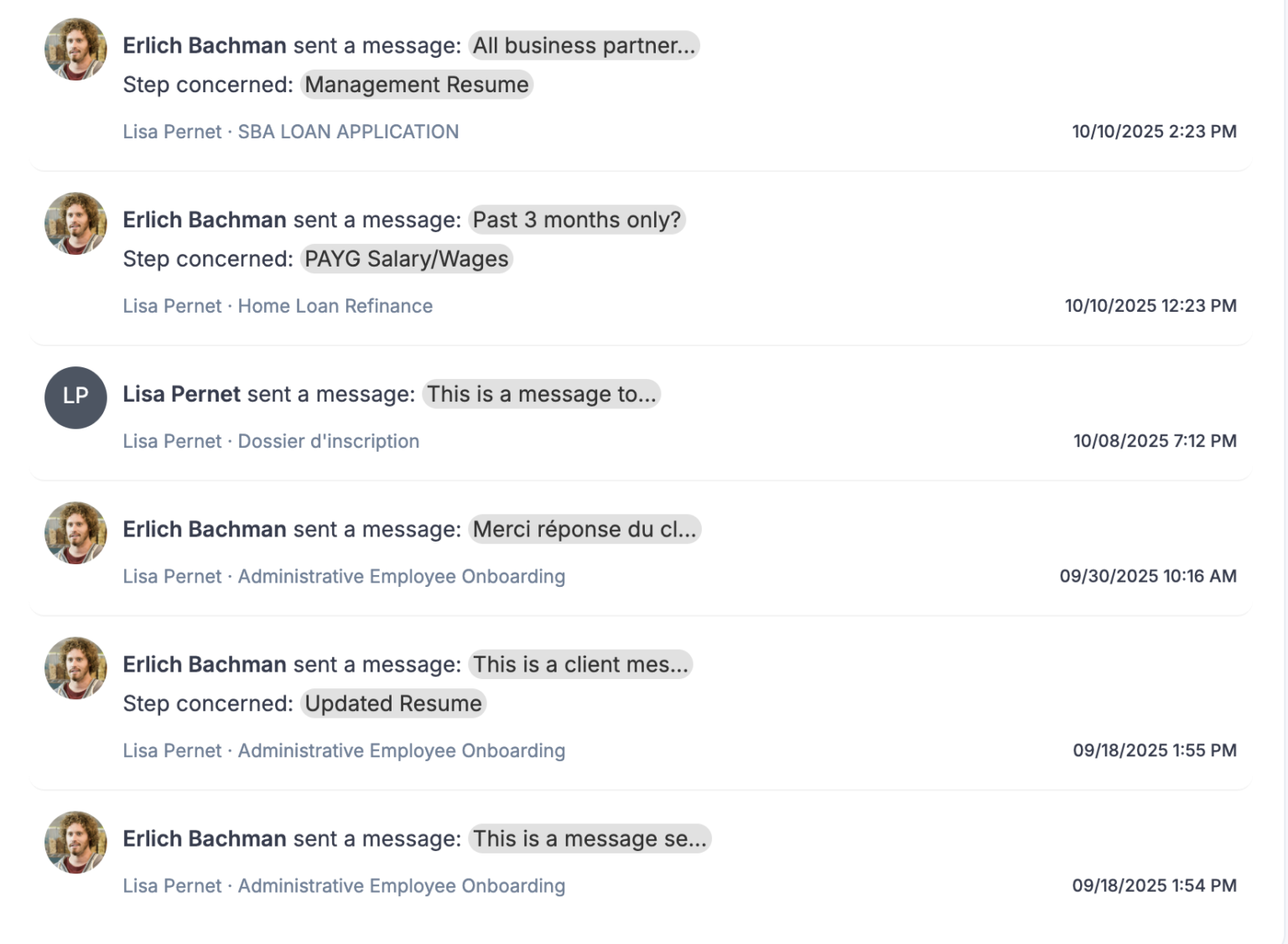
Instead of asking “Did we send the follow up?” teams using Clustdoc start asking “Why is this step taking so long?” and “What can we do to remove friction?”
On the Clustdoc platform, you can better understand things like how long it takes to gather feedback through a form, how often clients need further clarification, and which pain points show up most often in your workflows.
Building a follow up email engine is really about refining the way work moves forward.
When you shift your focus from generic reminders to event-based triggers, you stop being a source of noise and start being a partner in your potential customer’s success.
This approach ensures that every sales follow up email you send serves a specific purpose, preventing your original sales email from getting lost in a crowded inbox.
At Clustdoc, we see the most successful teams moving away from the chaos of the inbox to embrace a more structured way of working.
By tying every follow up message to a specific requirement or milestone, you provide your clients with the path they need to take the next step.
Ultimately, teams reclaim their time for the high-level work that actually requires a human touch. If you’re ready to build an email follow up engin that works perfectly with your business workflows, talk to us.
The effectiveness of a follow up email often depends on its relevance to the last conversation.
Instead of a generic "checking in," use an email template that references a specific pending task or missing document.
Providing a clear call to action helps the recipient understand exactly what is needed to move forward, which is much more effective than sending a perfect follow up email that lacks direction.
Ideally, using a dedicated system like Clustdoc automation engine, can help build this logic natively in all your workflows.
You should categorize your templates based on the goal of the communication.
For instance, a follow up email sample for a stalled contract should be firm and process-oriented, while an email following a product or service inquiry might focus on providing more detail to help the client decide.
Using a tool like Clustdoc allows you to automate these based on real-time trigger events rather than arbitrary dates.
Avoid simply restating your previous email in every new message.
Instead, change the subject line to reflect the current status of the workflow.
If you mention that a specific step is blocking progress, the recipient sees the value in responding.
This method ensures your follow up email examples really feel like helpful progress updates.
Still stitching emails, files, and approvals together?
Clustdoc gives teams one place to run client-facing work, boost customer engagement and increase compliance.

Claire writes about customer onboarding, digital processes, and the day-to-day challenges faced by operations teams. At Clustdoc, she focuses on practical insights: how organizations collect information, guide customers through complex steps, and improve service delivery with automation.